
This document introduces the DHCP settings of Phantosys server and provides instructions on how to install software. Phantosys server has a simple DHCP server function, which facilitates the allocation of IP addresses. It can be enabled by setting a fixed IP for the Phantosys server and configuring the fixed IP in Windows system. The document also explains the process of installing software, creating group nodes, setting up boot menus, and hiding menus.
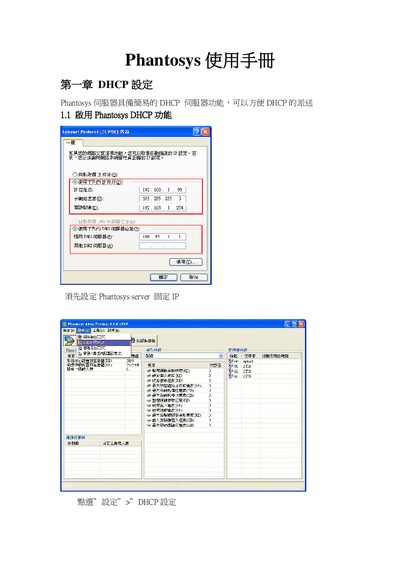
This manual explains how to configure the Phantosys system's network features, including enabling the built‑in DHCP server, setting fixed IP addresses, and defining DNS servers. Detailed tables show the required IP ranges and mask settings.
It also covers installing the application software on Windows, creating and managing group nodes, and backing up user data. Each procedure includes screen references and the necessary configuration values to ensure proper operation of the Phantosys system. This manual is written in Chinese.
Use the "新增群组节" function, name the new group (e.g., "O直ce 2007"), and click OK to create it.