
XC110 image processor adopts advanced digital denoising technology and optimizes the algorithm for X-ray machine images. While reducing image noise, it minimizes the tail of moving images as much as possible. It is very suitable for post-processing of medical X-ray machine images.
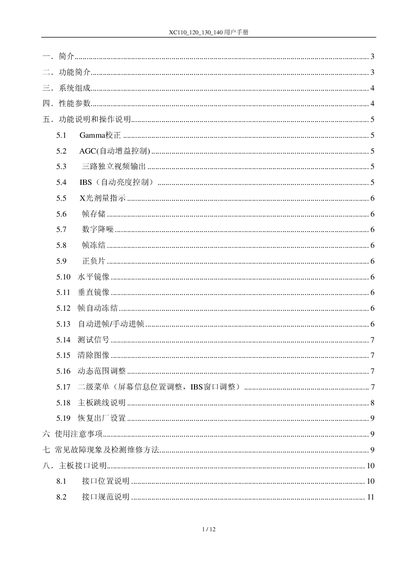
The XC110/120/130/140 image processor is designed for medical X‑ray imaging, offering digital noise reduction, frame freeze, mirroring, and other image enhancement functions. It supports multiple video inputs and outputs, including DVI and IBS, and provides adjustable parameters such as gamma correction and AGC.
The manual describes system composition, performance parameters, operation instructions, safety notes, common fault troubleshooting, and detailed interface specifications for power, video, and control connections. This manual is written in Chinese.
| Supply voltage | 12 V |
|---|---|
| Current consumption | 200 mA @12 V |
| Video input impedance | 75 Ω |
| Video output impedance | 75 Ω |
| Video output peak‑to‑peak voltage | 2 V |
| Field frequency | 50 Hz |
| Bandwidth | 12 MHz |
| AD conversion accuracy | 12 bit |
| DA conversion accuracy | 10 bit |
| Signal‑to‑noise ratio gain | 35 dB |
| Output impedance | 600 Ω |
| Output voltage range | 0.7 V – 11.4 V |
| Storage temperature | -40 °C – 120 °C |
| Operating temperature | 0 °C – 70 °C |
Press the GAMMA button; the first press turns Gamma correction on (lamp lights), and pressing it again turns it off (lamp extinguishes).
Press the freeze button; the lamp lights to indicate the image is frozen. Press the button again to cancel the freeze and the lamp turns off.
Press the horizontal mirror button to toggle horizontal mirroring (lamp indicates status), and press the vertical mirror button to toggle vertical mirroring.
The indicator displays signal amplitude with color codes: red for <200 mV (low), green for 200‑400 mV (normal), and yellow for >400 mV (high).