
This document is a product manual for WH7016A temperature controller, which introduces the installation dimensions, wiring diagram, electrical performance, key instructions, and operating instructions of the temperature controller.
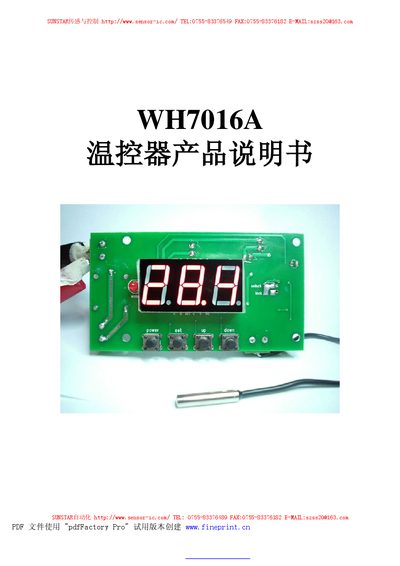
The WH7016A is a temperature controller designed for heating and cooling applications, offering a measurement range of -50 °C to 110 °C and adjustable control settings. It features a backlit display, POWER and SET keys, and relay outputs for external loads.
This manual covers physical installation dimensions, wiring connections, electrical specifications, button descriptions, operation procedures, fault indications, and safety precautions. It also explains how to configure temperature set points, hysteresis, calibration, and delay protection functions. This manual is written in Chinese.
| Temperature measurement range | -50 °C ~ 110 °C |
|---|---|
| Temperature control range | -50 °C ~ 110 °C |
| Temperature measurement error | ±0.5 °C |
| Sensor type | NTC (10K/3435) |
| Operating voltage | AC/DC 12 V |
| Maximum operating current | 200 mA |
| Relay contact rating | AC 5 A / 220 V |
| Working temperature range | 0 °C ~ 50 °C |
| Storage temperature range | -10 °C ~ 60 °C |
Press the POWER key once to turn on; press and hold POWER for three seconds to turn off.
Press the SET key to enter temperature setting mode, then use the UP or DOWN keys to adjust the value; hold SET for three seconds to exit.
The screen shows "---" and an alarm sound is emitted.