
This document is a manual for the WH9037 temperature controller product, which introduces the installation opening size, wiring diagram, electrical performance, button instructions, and operation instructions of the product.
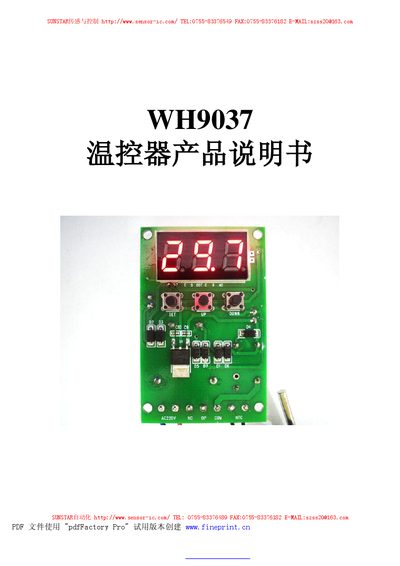
This manual describes the WH9037 thermostat produced by Sunstar, covering its electrical specifications, sensor type, and operating voltage. It explains the device's cooling and heating functions, temperature ranges, and built‑in safety features.
Detailed instructions are provided for setting temperature points, adjusting hysteresis, calibrating temperature, configuring delay protection, and setting upper/lower limits and alarms. The document also lists fault indications and important usage precautions. This manual is written in Chinese.
| Temperature measurement range | -9.9°C to 99.9°C |
|---|---|
| Temperature control range | -9.9°C to 99.9°C |
| Sensor type | NTC (10K/3435) |
| Control accuracy | 0.1°C |
| Working voltage | AC 220 V |
| Working current (max) | 200 mA |
| Operating temperature | 0°C to 50°C |
| Storage temperature | -10°C to 60°C |
Press the SET key once to enter temperature setting mode, use the UP or DOWN keys to adjust the value, and press SET again (or hold it for three seconds) to exit.
Hold the SET key for more than three seconds to open the menu, navigate with UP/DOWN until the code “D” appears, press SET to display the hysteresis value, then adjust it with UP/DOWN.
In the menu, hold SET for three seconds, use UP/DOWN to reach the code “AH”, press SET to show the alarm setting, and modify the value with UP/DOWN.
The screen shows “---” and the output relay is turned off.