
Key facts
- Manuals
- 11
- Categories
- 2
- Languages
- ZH
- Last added
- 2026-09-28
Featured YAAN manuals
YAAN YS3040 YS3041 Integrated Variable Speed PTZ Camera User Manual
Thank you for choosing this product. Please read this user manual carefully before using the camera; it provides correct installation and usage instructions.
The manual is copyrighted by Tianjin Ya'an Technology Electronics Co., Ltd. For additional information or support, visit the company website at http://www.yaancctv.com. This manual is written in Chinese.
Covers: Product Overview · Installation and Use · Copyright Statement · Contact Information
YAAN YA2030 Keyboard User Manual
This manual explains how to safely install, configure, and operate the YAAN YA2030 keyboard, which is used to control CCTV PTZ cameras and video surveillance systems. It includes product description, key features, and detailed wiring diagrams.
The document also covers safety precautions, power and environmental requirements, communication interfaces, supported protocols, and a FAQ section that addresses common issues such as display problems, password management, and factory reset procedures. This manual is written in Chinese.
Covers: Safety Precautions · Keyboard Introduction · Product Description · Product Features · Installation and Usage · Installation Confirmation
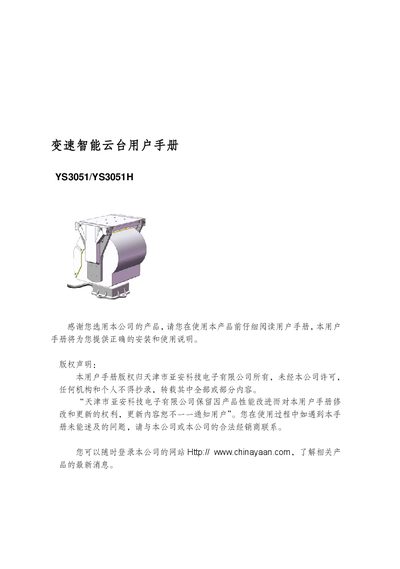
YAAN YS3051/YS3051H Smart Gimbal User Manual
This manual covers safety precautions, product features, technical specifications and step‑by‑step installation guidance for the YAAN YS3051/YS3051H variable‑speed smart gimbal. It explains how to set up power, communication parameters, preset positions and special scanning functions.
Additional sections describe the screen menu operations, auxiliary functions, how to restore factory defaults and a simple fault‑handling guide to help users resolve common issues quickly. This manual is written in Chinese.
Covers: Safety Precautions · Product Introduction · Installation · Screen Menu · Gimbal Special Functions · Simple Fault and Handling
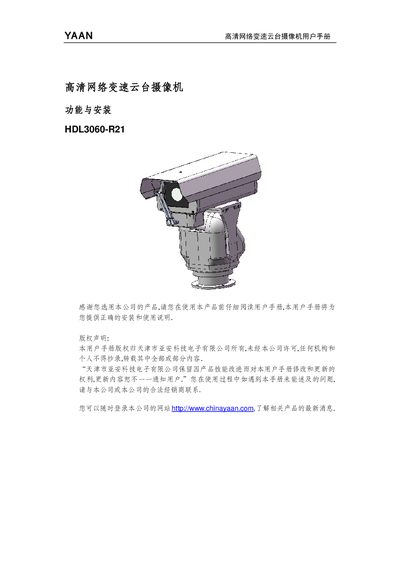
YAAN HDL3060-R21 Network PTZ Camera User Manual
This manual introduces the YAAN HDL3060-R21 high‑definition network PTZ camera, covering its key features, technical parameters and recommended applications. It explains safety precautions that must be observed before installation, such as using approved accessories, proper grounding and avoiding exposure to fire or moisture.
Detailed installation procedures are provided, including hardware preparation, mounting, wiring, power connection and initial commissioning. The guide also describes how to operate the camera via the client software, configure preset positions, automatic scanning and cruising, and perform simple fault diagnosis using the troubleshooting appendix. This manual is written in Chinese.
Covers: Safety Precautions · Product Introduction · Terminology · Technical Parameters · Installation · Operation Guide
Latest YAAN manuals
YAAN YS3040 YS3041 Integrated Variable Speed PTZ Camera User Manual
User Manual 1 pages · 255 KB · ZHThe YAAN YS3040/YS3041 integrated variable speed PTZ camera user manual provides installation and operation instructions.
YAAN YA2030 Keyboard User Manual
User Manual 37 pages · 501 KB · ZHThe YAAN YA2030 Keyboard User Manual provides safety guidelines, installation steps, operation instructions, technical specifications, and troubleshooting…
YAAN YS3051/YS3051H Smart Gimbal User Manual
User Manual 44 pages · 592 KB · ZHThe YAAN YS3051/YS3051H smart gimbal user manual provides installation, operation, configuration and troubleshooting instructions.
YAAN HDL3060-R21 Network PTZ Camera User Manual
User Manual 15 pages · 379 KB · ZHThe YAAN HDL3060-R21 network PTZ camera user manual provides safety guidelines, installation steps, technical specs, operation instructions and basic…
YAAN YC7302-T520 High Line Low Illumination Camcorder User Manual
User Manual 16 pages · 460 KB · ZHUser manual for the YAAN YC7302‑T520 high‑line low‑illumination camcorder, covering safety, installation, specifications and basic troubleshooting.
YAAN YQ5203 Ball Camera User Manual
User Manual 50 pages · 802 KB · ZHThe YAAN YQ5203 ball camera user manual provides installation, operation, settings, and maintenance instructions for the high‑speed panoramic tracking camera.
YAAN YH5904/YH5904H Night Vision High-Speed Intelligent Ball Camera User Manual
User Manual 54 pages · 418 KB · ZHThe YAAN YH5904/YH5904H night‑vision ball camera user manual explains menu navigation, camera settings, function setup and status queries.
YAAN YA4012/YA4015 Outdoor Small Protective Enclosure User Manual
User Manual 8 pages · 298 KB · ZHThe YAAN YA4012/YA4015 outdoor small protective enclosure user manual provides installation steps, safety precautions, and technical specifications.
YAAN YS3081/YS3081H Outdoor Heavy-Duty Variable Speed PTZ Camera User Manual
User Manual 53 pages · 653 KB · ZHUser manual for the YAAN YS3081/YS3081H outdoor heavy‑duty variable‑speed PTZ camera, covering safety, installation, operation and specifications.
Yaan YS3045 Integrated Variable Speed Night Vision PTZ Camera User Manual
User Manual 31 pages · 402 KB · ZHUser manual for the Yaan YS3045 integrated variable‑speed night‑vision PTZ camera with OSD menu operation instructions.
YAAN YH5106N-H18 Ball Camcorder User Manual
User Manual 40 pages · 558 KB · ZHUser manual for the YAAN YH5106N-H18 high‑speed ball camcorder covering menu navigation, parameter settings and status queries.
Which document do I need?
User Manual
Day-to-day operation, settings and troubleshooting. Start here if the product is already set up.
Questions answered in YAAN manuals
Who holds the copyright for this manual?
The copyright belongs to Tianjin Ya'an Technology Electronics Co., Ltd.
From: YAAN YS3040 YS3041 Integrated Variable Speed PTZ Camera User Manual
Where can I find more information about the product?
You can visit the company website at http://www.yaancctv.com for the latest product news.
From: YAAN YS3040 YS3041 Integrated Variable Speed PTZ Camera User Manual
How can I reset the keyboard to factory defaults?
Select the restore factory default setting option in the menu; the keyboard will revert to its original configuration.
How do I change the user password?
An admin user can modify all passwords, while other users can only change their own passwords.
How can I restore the gimbal to factory default settings?
Select the “恢复出厂默认值” option in the main menu and confirm; the gimbal will reset all parameters and perform a self‑check.
How many preset positions can be stored?
The gimbal can store up to 80 preset positions.