
Key facts
- Manuals
- 31
- Categories
- 1
- Languages
- ZH · EN · JA
- Last added
- 2012-03-21
Featured Altusen manuals
ALTUSEN KL3116 LCD KVM Switch User Manual
This manual covers all aspects of the ALTUSEN KL3116 LCD KVM switch, including safety guidelines, rack‑mount installation, and detailed hardware specifications. It explains how to connect up to 512 computers, configure the LCD OSD, and use hot‑key and keyboard emulation features.
Additional sections guide users through firmware updates, port selection, hot‑plug operations, and common troubleshooting steps, with warranty information and contact details for technical support. This manual is written in Chinese.
Covers: Overview · Hardware Installation · Basic Operation · LCD OSD Settings · Hotkey Port Operation · Keyboard Emulation
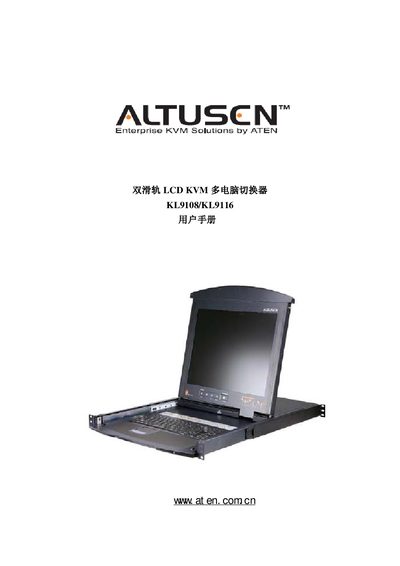
ATEN KL9108/KL9116 KVM Switch User Manual
This manual covers the ATEN KL9108/KL9116 dual‑track LCD KVM switch, describing its features, hardware components, and system requirements. It guides users through packaging contents, rack‑mount installation, and optional accessories.
Key sections include hardware installation, basic operation, management functions, browser‑based control, Windows and Java client applications, logging tools, and AP (alternative protocol) operation. Technical specifications and troubleshooting tips are provided at the end of the document. This manual is written in Chinese.
Covers: Overview · Hardware Installation · Basic Operation · Management · Browser Operation · Windows Client Operation
ALTUSEN KM0216/KM0432 Matrix KVM Switch User Manual
This manual provides detailed instructions for installing, configuring and operating the ALTUSEN KM0216/KM0432 matrix KVM switch. It includes safety guidelines, rack‑mount procedures, cable specifications and troubleshooting steps.
The document also describes firmware update procedures, OSD functions, hot‑key operations and supported operating systems, helping users to fully utilize the switch's features in multi‑layer daisy‑chain and stack configurations. This manual is written in Chinese.
Covers: Introduction · Safety Instructions · Rack Installation · Cable Requirements · Basic Operation · OSD Operation
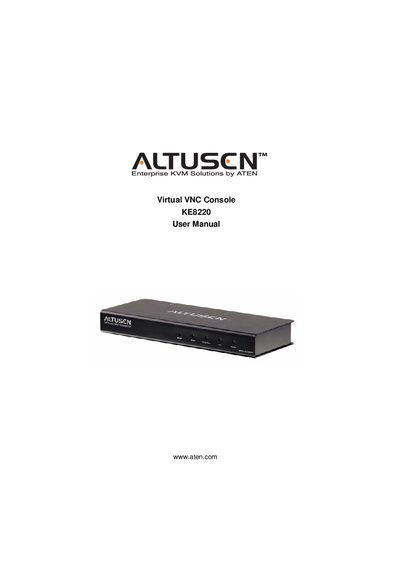
ATEN KE8220 Virtual VNC Console User Manual
This manual covers the KE8220 Virtual VNC Console, a KVM solution that includes a wireless‑G USB adapter, power adapter, rack‑mount kit and software. It details hardware installation, network configuration, and the AltusenVNC software used to access remote computers.
The document also includes FCC compliance information, safety instructions, package contents, and troubleshooting guidance, along with contact details for technical support and product registration.
Covers: Introduction · Hardware Setup · Basic Operation · AltusenVNC Operation · Package Contents · User Information
Latest Altusen manuals
ALTUSEN KL3116 LCD KVM Switch User Manual
User Manual 90 pages · 796 KB · ZHThe ALTUSEN KL3116 LCD KVM Switch user manual provides installation, operation, OSD settings, firmware update, and troubleshooting instructions.
ATEN KL9108/KL9116 KVM Switch User Manual
User Manual 158 pages · 1.9 MB · ZHThe ATEN KL9108/KL9116 KVM Switch User Manual provides installation, configuration, and operation instructions for the dual‑track LCD KVM device.
ALTUSEN KM0216/KM0432 Matrix KVM Switch User Manual
User Manual 93 pages · 727 KB · ZHUser manual for the ALTUSEN KM0216/KM0432 matrix KVM switch covering installation, operation, safety and firmware updates.
ATEN KE8220 Virtual VNC Console User Manual
User Manual 86 pages · 1.9 MB · ENThe ATEN KE8220 User Manual provides setup, operation, and support information for the Virtual VNC Console.
ATEN KA9250 KVM Extender Module User Manual
User Manual 10 pages · 201 KB · ENThe ATEN KA9250 User Manual provides installation, operation, and troubleshooting instructions for the KVM Extender Module.
ATEN KA9233 User Manual
User Manual 99 pages · 2.6 MB · ENThe ATEN KA9233 User Manual provides safety, installation, and operation instructions for the combo graphic console KVM module.
ATEN IP8000 Remote Management PCI Card User Manual
User Manual 107 pages · 4.2 MB · ENThe ATEN IP8000 Remote Management PCI Card User Manual provides setup, configuration, and troubleshooting instructions.
Altusen KH88 KVM Switch User Manual
User Manual 60 pages · 1.2 MB · ENThe Altusen KH88 KVM Switch User Manual provides installation, configuration and operation instructions for the KH88 device.
ATEN SN3101 Serial Device Server User Manual
User Manual 121 pages · 3.1 MB · ENThe ATEN SN3101 Serial Device Server user manual provides step‑by‑step instructions for hardware installation, network configuration, and port management.
ALTUSEN SN0108/0116 user manual
User Manual 111 pages · 2.8 MB · ENATEN SN0108/SNO116 KVM user manual with installation, configuration, and troubleshooting instructions.
ATEN PN9108 User Manual
User Manual 98 pages · 4.1 MB · ENThe ATEN PN9108 User Manual provides installation, configuration, and operation instructions for the PN9108 KVM over IP device.
ALTUSEN PN0108 user manual
User Manual 88 pages · 3.7 MB · ENThe ATEN PNO108 user manual provides installation, configuration, and operation instructions for the Altusen KVM switch.
ATEN KN9108 / KN9116 User Manual
User Manual 132 pages · 5.1 MB · ENThe ATEN KN9108 / KN9116 User Manual provides setup, operation, and administration instructions for the KVM over the NET switches.
Altusen KN9000 User Manual
User Manual 76 pages · 901 KB · ENThe Altusen KN9000 User Manual provides installation, configuration, and operation instructions for the 16‑Port LCD Console KVM Switch.
ATEN KN2124v/KN2140v/KN4124v/KN4140v/KN2132/KN4116/KN4132 KVM Over the NET User Manual
User Manual 236 pages · 8.2 MB · ENUser manual for ATEN KVM Over the NET switches covering installation, configuration, and administration.
- 1
- 2
Which document do I need?
User Manual
Day-to-day operation, settings and troubleshooting. Start here if the product is already set up.
Questions answered in Altusen manuals
How many computers can be connected to the KL3116?
The KL3116 can connect up to 512 computers using daisy‑chain (菊式串联).
What warranty does ALTUSEN provide for the KL3116?
ALTUSEN offers a one‑year warranty covering product quality and workmanship.
How many hosts can be connected to a KL9108 unit?
A KL9108 unit supports up to 8 directly connected hosts, or up to 64 hosts when stacked.
What is included in the standard packaging?
The standard package contains one KL9108 or KL9116 KVM switch, a rack‑mount kit, a set of KVM cables, a power cord, the user manual, and a quick‑install card.
How many KVM ports does the KM0432 model provide?
The KM0432 model provides 32 RJ‑45 KVM ports.
What is the operating temperature range for the switch?
The device operates between 0 °C and 50 °C.