
Key facts
- Manuals
- 1
- Languages
- ES
- Last added
- 2023-11-26
Featured Omega Freestyle manuals
Philips SHB3075 Wireless Bluetooth Headphones
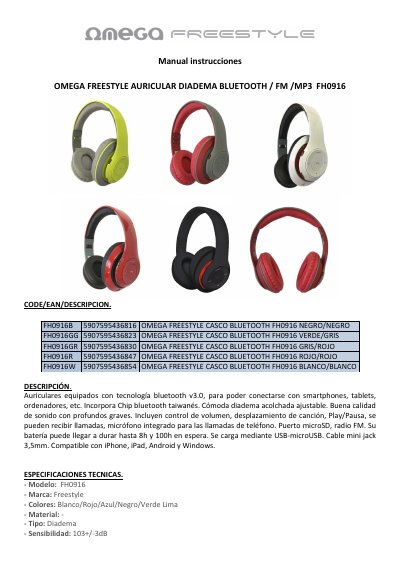
This is the Spanish user manual for the Omega Freestyle FH0916, a headband-style headphone set with Bluetooth v3.0, an FM radio, a microSD card slot for MP3 playback, an integrated microphone for phone calls and a 3.5 mm jack cable for wired listening. The manual also lists the available color versions and their EAN codes.
The document explains how to charge the headset over micro-USB, how to switch it on and off, how to pair it with a smartphone or tablet over Bluetooth, how to use the FM radio and microSD playback, and how to listen with the audio cable. A technical specifications table covers frequency response, impedance, sensitivity, battery, range, dimensions and weight, and the box contents are listed at the end of the specifications. This manual is written in Spanish.
Covers: Cómo cargar el auricular · Cómo encender-apagar el auricular y sincronizar con el teléfono vía Bluetooth · Cómo reproducir música en los auriculares vía Bluetooth · Cómo activar función radio FM y reproducir música MP3 a través de tarjeta de memoria · Reproducir música con cable audio jack 3.5 sin conexión Bluetooth · Especificaciones técnicas
Latest Omega Freestyle manuals
Philips SHB3075 Wireless Bluetooth Headphones
User Manual 3 pages · 152 KB · ESSpanish user manual for Omega Freestyle FH0916 Bluetooth headphones with FM radio, microSD MP3 playback, charging, pairing and specifications.
Which document do I need?
User Manual
Day-to-day operation, settings and troubleshooting. Start here if the product is already set up.
Questions answered in Omega Freestyle manuals
How do I charge the FH0916 headphones?
Connect the micro-USB end of the included cable to the headset's micro-USB port and the other end to an AC charger or charging device. A red LED shows the charging state and a green light means the headset is charged.
How do I pair the FH0916 with my phone via Bluetooth?
Press and hold the ON button on the bottom of the left earcup for a few seconds until the light flashes red and blue, then search for Bluetooth devices on your phone and select FH0916.