
Key facts
- Manuals
- 1
- Languages
- EN
- Last added
- 2026-11-15
Featured Clinitek manuals
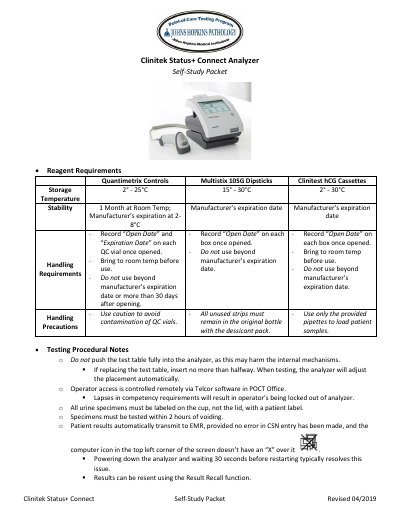
Clinitek Status+ Connect Analyzer Self-Study Packet
The Clinitek Status+ Connect Self-Study Packet provides essential operational guidance for the Status+ Connect analyzer. It details the handling and storage requirements for reagents, including Quantimetrix Controls, Multistix 10SG Dipsticks, and Clinitest hCG Cassettes.
The document outlines testing procedural notes, daily and weekly maintenance tasks, and a troubleshooting guide for common error codes. It also specifies operator competency requirements and the process for reporting results to EMR.
Covers: Reagent Requirements · Testing Procedural Notes · Maintenance · Troubleshooting · Operator Competency
Latest Clinitek manuals
Clinitek Status+ Connect Analyzer Self-Study Packet
User Manual 2 pages · 201 KB · ENSelf-study guide for the Clinitek Status+ Connect analyzer, covering reagent requirements, testing procedures, maintenance, and troubleshooting.
Which document do I need?
User Manual
Day-to-day operation, settings and troubleshooting. Start here if the product is already set up.
Questions answered in Clinitek manuals
How should the analyzer be maintained daily?
Daily maintenance involves powering down the analyzer and cleaning the exterior, including the screen, using warm water and a hospital-approved disinfectant wipe.
What should be done if error code E58 (Misplaced Strip) occurs?
This is an operator error; the test should be repeated ensuring correct strip placement, and the test table insert should be checked for damage to the white line.