
Key facts
- Manuals
- 1
- Languages
- ZH
- Last added
- 2023-11-07
Featured 中联创新 manuals
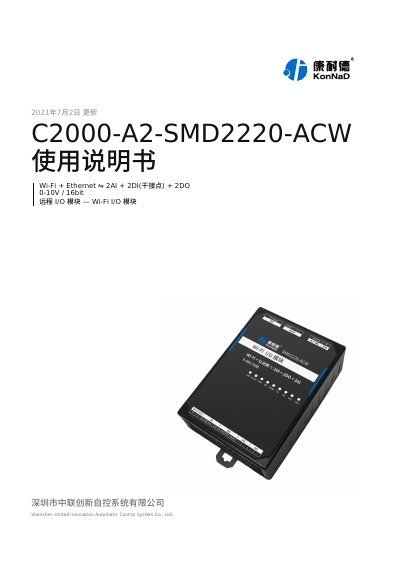
Zhonglian Chuangxin C2000-A2-SMD2220-ACW Wi-Fi I/O Module User Manual
This user manual covers the Zhonglian Chuangxin C2000-A2-SMD2220-ACW, a remote I/O module combining Wi-Fi and Ethernet communication with 2 analog inputs (0-10V / 16-bit), 2 digital inputs (dry contact) and 2 digital outputs (0-10V). It is produced by Shenzhen United Innovation Automatic Control System Co., Ltd. and was updated on July 2, 2021.
The manual describes wiring and connection checks, switching the module to AP mode, searching for its Wi-Fi network, installing the KonNaD device setup tool and setting device parameters. It also covers hardware specifications, DI/AI/DO functions, software operation, Web configuration, the Modbus TCP communication protocol with register lists and command examples, the packing list and product service information. This manual is written in Chinese.
Covers: Quick Start · Hardware Description · Product Functions · Software Operation · Web Configuration · Communication Protocol
Latest 中联创新 manuals
Zhonglian Chuangxin C2000-A2-SMD2220-ACW Wi-Fi I/O Module User Manual
User Manual 42 pages · 4.2 MB · ZHUser manual for the Zhonglian Chuangxin C2000-A2-SMD2220-ACW Wi-Fi and Ethernet remote I/O module with 2 AI, 2 DI and 2 DO channels.
Which document do I need?
User Manual
Day-to-day operation, settings and troubleshooting. Start here if the product is already set up.
Questions answered in 中联创新 manuals
How do I connect the module to Wi-Fi?
Press the AP/STA button to switch the module to AP mode (the Wi-Fi indicator lights up), then search for the wireless network starting with 'C2000-' and connect using the default password of eight zeros.
From: Zhonglian Chuangxin C2000-A2-SMD2220-ACW Wi-Fi I/O Module User Manual
What is the default IP address of the module?
In Wi-Fi AP mode the module uses a fixed IP address of 192.168.4.1.
From: Zhonglian Chuangxin C2000-A2-SMD2220-ACW Wi-Fi I/O Module User Manual