
Key facts
- Manuals
- 1
- Languages
- ZH
- Last added
- 2023-11-06
Featured 上海亚霖科技有限公司 manuals
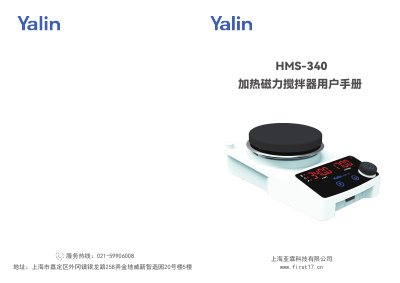
Yalin HMS-340 Heating Magnetic Stirrer User Manual
This is the Chinese user manual for the HMS-340 heating magnetic stirrer from Shanghai Yalin Technology (上海亚霖科技有限公司). It opens with a warranty statement and a table of contents, then lists the items supplied with the unit and shows the parts and controls of the front panel, including the safety temperature setting screw, the power switch, the rotary knob, the heating and stirring keys, the temperature and speed displays, the heating plate, the RS232/RS485 communication port and the PT1000 sensor socket.
The manual explains the warning symbols, how to set the safety temperature with a screwdriver, the key lock function, and how to start heating and stirring with the rotary knob and the HEAT / ROTATE keys. It documents the menu settings (operating mode, fuzzy coefficient, rotation direction, beeper, intermittent mode, temperature unit, maximum speed, OT value, WiFi and factory reset), gives a table of error codes Er01 to Er17 with causes and corrective actions, lists maintenance and repair instructions, and ends with a technical parameter table for the HMS-340. This manual is written in Chinese.
Covers: 交货清单 (Delivery list) · 产品安装 (Product installation) · 面板控制 (Panel controls) · 符号说明 (Warning symbols) · 加热功能 (Heating function) · 设定安全温度 (Setting the safety temperature)
Latest 上海亚霖科技有限公司 manuals
Yalin HMS-340 Heating Magnetic Stirrer User Manual
User Manual 6 pages · 5.1 MB · ZHChinese user manual for the Yalin HMS-340 heating magnetic stirrer: installation, panel controls, heating and stirring settings, error codes and specifications.
Which document do I need?
User Manual
Day-to-day operation, settings and troubleshooting. Start here if the product is already set up.
Questions answered in 上海亚霖科技有限公司 manuals
What stirring speed range does the HMS-340 support?
The stirring speed can be set from 0 to 1700 RPM in steps of 10 RPM, and stirring direction can be set clockwise or counterclockwise.
How do I enter the menu settings?
Long press the rotary knob (D) for 5 seconds after switching the instrument on, then rotate the knob to change menus and press it to confirm values.