
Key facts
- Manuals
- 1
- Languages
- EN
- Last added
- 2023-11-03
Featured Diniloe manuals
Diniloe Online Policy Purchase Private Login User Manual
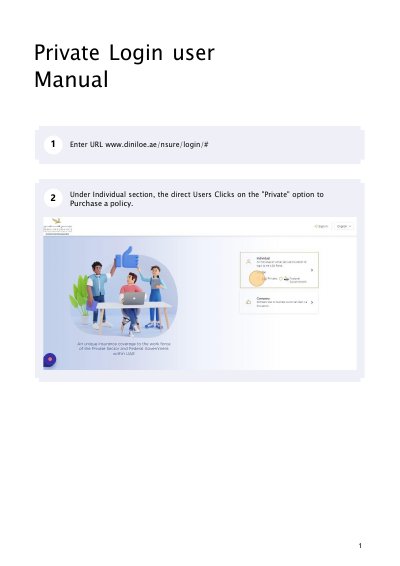
This document is a step-by-step user manual for the Diniloe online policy purchase portal at www.diniloe.ae/nsure/login/#. It shows how a direct user selects the Private option under the Individual section, chooses between the Login with OTP and Registered Users login options, and requests and submits an OTP from a registered mobile number.
The guide then covers confirming personal details, selecting the policy period and payment tenure, paying through the payment gateway with card details, and using the dashboard afterwards to print or download a duplicate COI copy, view policy, worker and premium details, download the statement and receipt, and log out.
Covers: Private login · Login with OTP · OTP verification · Personal details confirmation · Policy period and payment tenure · Payment gateway and card details
Latest Diniloe manuals
Diniloe Online Policy Purchase Private Login User Manual
Other 12 pages · 1.2 MB · ENSteps for buying an insurance policy on the Diniloe portal: OTP login, policy period selection, card payment, and downloading the COI copy and statements.
Questions answered in Diniloe manuals
How do I log in to the Diniloe portal to purchase a policy?
Under the Individual section, click the Private option to purchase a policy, then choose OTP Card, enter a valid ID or mobile number and click Request OTP.
From: Diniloe Online Policy Purchase Private Login User Manual
Is an email address required when buying a policy?
No, providing your Email id is optional; the system will share the COI copy to the mail if one is given.
From: Diniloe Online Policy Purchase Private Login User Manual