
Key facts
- Manuals
- 1
- Languages
- EN
- Last added
- 2023-11-02
Featured IEI Integration manuals
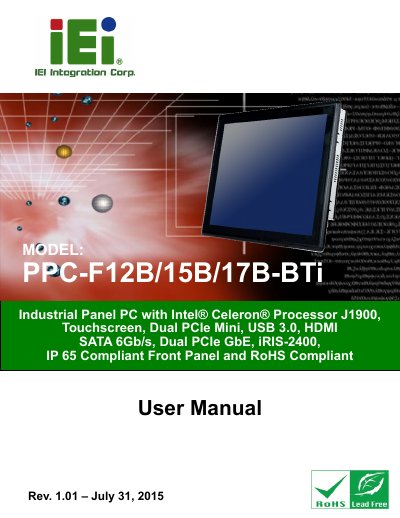
IEI PPC-F12B/15B/17B-BTi Industrial Touch Screen Panel PC User Manual
This user manual covers the IEI Integration PPC-F12B/15B/17B-BTi, an industrial panel PC built around the Intel Celeron J1900 processor. The document describes the front, rear and bottom panels, model variations and dimensions, and lists the product's features, including a touchscreen, dual PCIe Mini, USB 3.0, HDMI, SATA 6Gb/s, dual PCIe GbE, iRIS-2400, an IP 65 compliant front panel and RoHS compliance.
The manual walks through unpacking, installation and configuration steps such as SO-DIMM, HDD, mSATA and iRIS-2400 module installation, AT/ATX mode selection, and wall, panel, rack, arm and stand mounting. It also covers serial device connection, powering on and resetting the system, driver installation, IPMI setup, system maintenance and motherboard replacement, BIOS setup, and peripheral interface connectors.
Covers: Introduction · Unpacking · Installation · Mounting the System · Serial Device Connection · IPMI Setup Procedure
Latest IEI Integration manuals
IEI PPC-F12B/15B/17B-BTi Industrial Touch Screen Panel PC User Manual
User Manual 140 pages · 4.2 MB · ENUser manual for the IEI PPC-F12B/15B/17B-BTi industrial panel PC with Intel Celeron J1900, covering installation, BIOS setup, connectors and maintenance.
Which document do I need?
User Manual
Day-to-day operation, settings and troubleshooting. Start here if the product is already set up.
Questions answered in IEI Integration manuals
Which processor does the PPC-F12B/15B/17B-BTi use?
The panel PC uses an Intel Celeron J1900 processor.
From: IEI PPC-F12B/15B/17B-BTi Industrial Touch Screen Panel PC User Manual
Is the front panel protected against dust and water?
Yes, the front panel is IP 65 compliant.
From: IEI PPC-F12B/15B/17B-BTi Industrial Touch Screen Panel PC User Manual