
Key facts
- Manuals
- 1
- Languages
- ZH
- Last added
- 2023-10-30
Featured Jishi Cloud manuals
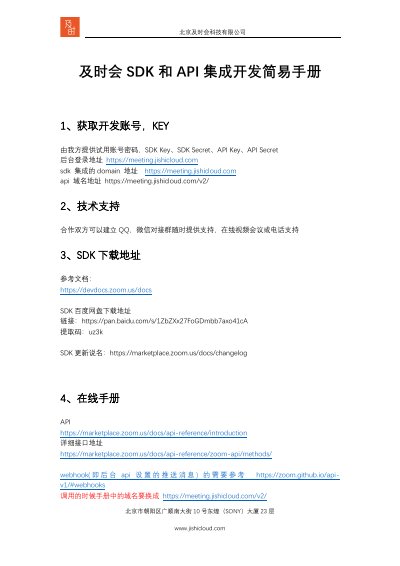
Jishi Cloud SDK and API Integration Development Manual
This is a short integration guide from Beijing Jishi Hui Technology (Jishi Cloud), published on jishicloud.com, for developers who want to connect the Jishi Cloud meeting SDK and API to their own applications. It explains that trial account credentials, the SDK Key, SDK Secret, API Key and API Secret are supplied by Jishi Cloud, and lists the backend login address, the SDK domain address and the API domain address.
The manual then describes how to turn on the integrations: logging into the admin backend, opening the REST API menu and clicking the button to enable API integration, optionally enabling push notifications with a receiving URL, username and password so that JSON meeting notifications are delivered, and finally switching on RTC integration in the SDK stack menu to obtain the SDK Key and secret. It also points to external developer documentation pages for the SDK, the API methods and webhooks, and notes that the domain used in those pages must be replaced with the Jishi Cloud meeting domain. This manual is written in Chinese.
Covers: Getting a development account and keys · Technical support · SDK download address · Online API and webhook documentation · Enabling API integration · Enabling push notifications
Latest Jishi Cloud manuals
Jishi Cloud SDK and API Integration Development Manual
Programming Manual 4 pages · 279 KB · ZHSimple integration manual for the Jishi Cloud SDK and API, covering account keys, SDK download, API domain settings and enabling API and SDK integration.
Which document do I need?
Programming Manual
Instruction set, parameters and examples for configuring or programming the device.
Questions answered in Jishi Cloud manuals
How do I get a development account and API keys?
Jishi Cloud provides the trial account login, SDK Key, SDK Secret, API Key and API Secret; the keys and credentials are used together with the backend login address.
From: Jishi Cloud SDK and API Integration Development Manual
Which domain should I use for integration?
Change the domain to https://meeting.jishicloud.com (and https://meeting.jishicloud.com/v2/ for API calls) instead of the domain shown in the online API manual.
From: Jishi Cloud SDK and API Integration Development Manual