
Key facts
- Manuals
- 1
- Languages
- EN
- Last added
- 2023-10-21
Featured Nihon Kaiheiki manuals
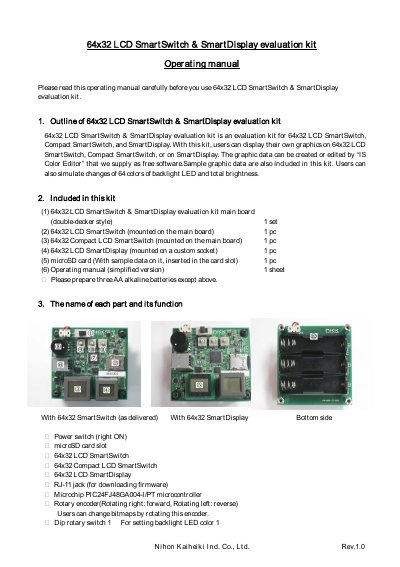
Nihon Kaiheiki 64x32 LCD SmartSwitch & SmartDisplay evaluation kit Operating Manual
This manual guides users through operating the 64x32 LCD SmartSwitch & SmartDisplay evaluation kit. It explains how to display sample or custom graphics using the included microSD card and IS Color Editor software. Users can adjust backlight brightness and color via dip switches and a rotary encoder. The kit includes three display modules and requires three AA batteries. Firmware and schematics are available for download from the manufacturer’s site for advanced users.
Covers: Outline of 64x32 LCD SmartSwitch & SmartDisplay evaluation kit · Included in this kit · The name of each part and its function · Operation · Controlling backlight LED · Disclosure of the firmware, the circuit diagrams, and of the parts list
Latest Nihon Kaiheiki manuals
Nihon Kaiheiki 64x32 LCD SmartSwitch & SmartDisplay evaluation kit Operating Manual
User Manual 4 pages · 156 KB · ENOperating manual for Nihon Kaiheiki's 64x32 LCD SmartSwitch & SmartDisplay evaluation kit, covering setup, graphics display, backlight control, and firmware.
Which document do I need?
User Manual
Day-to-day operation, settings and troubleshooting. Start here if the product is already set up.
Questions answered in Nihon Kaiheiki manuals
How do I display custom graphics on the kit?
Create or edit graphic data using 'IS Color Editor' on your PC, save it as 'image.???' in a '6432' folder on a microSD card, then insert the card into the kit.
From: Nihon Kaiheiki 64x32 LCD SmartSwitch & SmartDisplay evaluation kit Operating Manual
How do I change the backlight color?
Adjust the color by changing dip rotary switch 1 and 2. Switch 1 selects the 64-color or 8-color mode, and switch 2 selects the specific color within that mode.
From: Nihon Kaiheiki 64x32 LCD SmartSwitch & SmartDisplay evaluation kit Operating Manual