
Key facts
- Manuals
- 1
- Languages
- EN
- Last added
- 2023-10-21
Featured Magellan Rx manuals
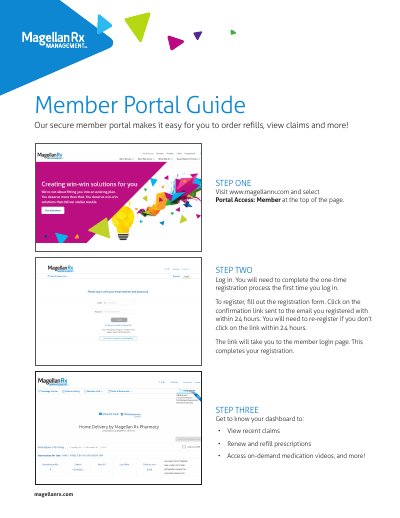
Magellan Rx Member Portal User Manual
This guide explains how to log in and use the Magellan Rx Member Portal to refill prescriptions and view claims. It includes steps for home delivery and specialty pharmacy access. The portal also offers medication videos and drug pricing tools for members.
Users must complete a one-time registration and activate their account within 24 hours. After activation, they can access their dashboard to manage prescriptions, view claims, and use tools like the pharmacy locator and medication videos.
Covers: Logging In · Refilling Prescriptions · Home Delivery · Specialty Pharmacy · Medication Videos · Drug Pricing
Latest Magellan Rx manuals
Magellan Rx Member Portal User Manual
User Manual 4 pages · 1.1 MB · ENUser guide for Magellan Rx Member Portal to order refills, view claims, and access medication resources.
Which document do I need?
User Manual
Day-to-day operation, settings and troubleshooting. Start here if the product is already set up.
Questions answered in Magellan Rx manuals
How do I log in to the Magellan Rx Member Portal?
Visit www.magellanrx.com, select Portal Access: Member, and log in using your credentials. Complete the one-time registration if you haven’t already.
What can I do after logging in?
You can view recent claims, renew and refill prescriptions, access medication videos, and use tools like the pharmacy locator and drug pricing.