
Key facts
- Manuals
- 1
- Languages
- EN
- Last added
- 2023-10-20
Featured Duncan USA manuals
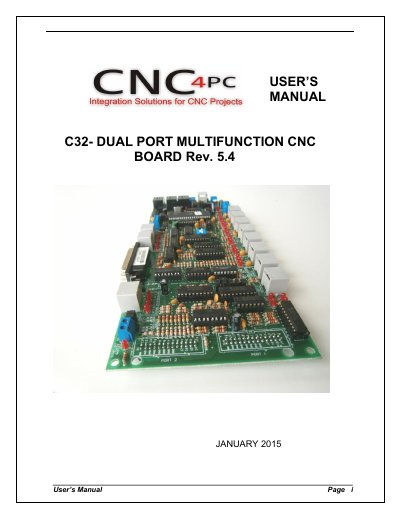
Duncan USA C32-Dual Port Multifunctional CNC Board User Manual
This manual provides detailed instructions for installing and configuring the C32-Dual Port Multifunctional CNC Board. It covers power terminals, configuration jumpers, DIP switch settings, LED indicators, and wiring diagrams for connecting various components. The board supports IEEE 1284 compatibility, PWM speed control, and multiple driver types including servo and stepper drivers. Safety features include E-Stop monitoring and driver fault detection.
The manual includes diagrams for connecting switches, NPN and PNP proximity sensors, and performing an auto tool zero. It also explains how to configure the board for different driver types using DIP switches and jumpers. The board is designed to work with popular CNC hardware and software, including Smooth Stepper and Mach X.
Covers: Features · Specifications · Board Description · Power Terminals and Configuration Jumpers · Configuration DIPSWITCH · LED Indicator
Latest Duncan USA manuals
Duncan USA C32-Dual Port Multifunctional CNC Board User Manual
User Manual 26 pages · 2.8 MB · ENUser manual for the C32-Dual Port Multifunctional CNC Board, covering setup, wiring, and configuration for CNC applications.
Which document do I need?
User Manual
Day-to-day operation, settings and troubleshooting. Start here if the product is already set up.
Questions answered in Duncan USA manuals
What types of drivers is the C32 board compatible with?
The C32 board is compatible with G320/DG4S, G203, G210/201/Keling, and Viper Servo drivers.
From: Duncan USA C32-Dual Port Multifunctional CNC Board User Manual
How do I configure the board for different driver types?
Use DIP switches to select the driver type. For example, set DIP 3 and DIP 4 to 0 0 for G320/DG4S, 1 0 for G203, 0 1 for G210/201/Keling, and 1 1 for Viper.
From: Duncan USA C32-Dual Port Multifunctional CNC Board User Manual