
Key facts
- Manuals
- 4
- Languages
- EN
- Last added
- 2023-10-19
Featured Kontron Electronics manuals
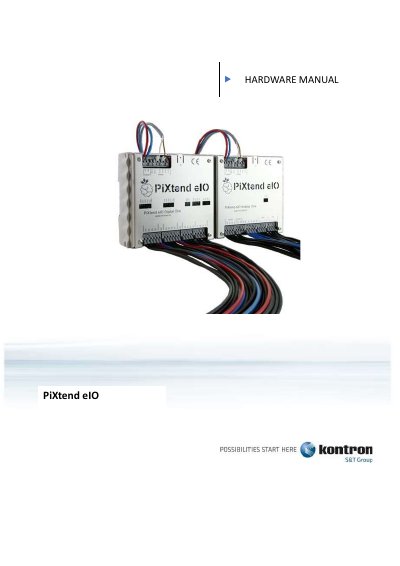
Kontron Electronics PiXtend eIO Hardware Manual
This manual provides instructions for the PiXtend eIO, an input and output unit for electrical signals designed for use with programmable logic controllers (PLC) and other devices via an RS485 bus system. The device functions as a slave in the network, communicating with master devices such as PCs, industrial controllers, or Raspberry Pi computers using Modbus RTU or a proprietary ASCII protocol.
Covers: About this Documentation · Important Information · Basic knowledge · Package contents · Installation · Technical Data and Connection Instructions
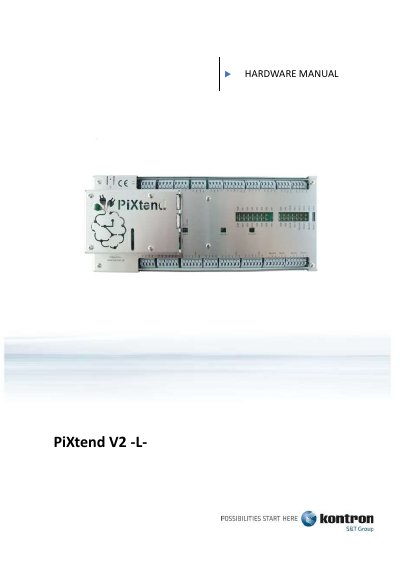
Kontron Electronics PiXtend V2 -L- Hardware Manual
This manual provides detailed instructions for assembling, installing, and configuring the PiXtend V2 -L- hardware, including extension boards, ePLC modules, and compatible Raspberry Pi models. It covers safety precautions, jumper settings, power connections, and interface configurations for digital, analog, and serial inputs/outputs. The document also includes technical specifications and troubleshooting guidance for proper operation in industrial, educational, or residential environments.
The manual is intended for users aged 14 and over who have read the safety data sheet and understand the hardware’s limitations. It is designed for dry indoor use (IP20 for ePLC Pro, IP00 for others) and requires qualified personnel for handling dangerous voltages. The latest version is available at www.pixtend.de/downloads.
Covers: About this Documentation · Important Information · Package contents · Assembly · Installation · Technical Data and Connection Instructions
Kontron Electronics i.MX-based Hardware and BSPs User Manual
This manual helps developers set up, use, and integrate hardware and software based on NXP i.MX SoCs provided by Kontron Electronics. It covers using mainline Linux kernel and U-Boot support, modifying the BSP, and booting the system. The documentation is in an early development state and subject to change.
The guide includes details on hardware specifications, software components like Yocto, Linux, and Qt, and how to build and modify the BSP using Bitbake and devtool. It also explains the boot chain, including U-Boot SPL, TF-A (for i.MX8MM), and Linux kernel loading.
Covers: Hardware Overview · Software Components · Yocto Build System · Modifying the BSP · Boot Chain · Kernel Configuration
Kontron Electronics PiXtend eIO Software Manual
This manual provides detailed instructions for configuring and programming PiXtend eIO devices using Modbus RTU and PiXtend eIO ASCII protocols. It covers device setup, communication parameters, error handling, and examples in CODESYS, Python, and C. The devices are designed for indoor use and support integration with various master systems including Raspberry Pi and Arduino. The manual includes safety information, technical specifications, and troubleshooting guidance for both Digital One and Analog One variants.
Covers: About this Documentation · Important Information · Overview · Requirements · Licenses · Basic knowledge
Latest Kontron Electronics manuals
Kontron Electronics PiXtend eIO Hardware Manual
User Manual 101 pages · 2.9 MB · ENHardware manual for the PiXtend eIO I/O unit, covering installation, wiring, jumper settings, and technical specifications for Digital and Analog versions.
Kontron Electronics PiXtend V2 -L- Hardware Manual
User Manual 133 pages · 3.4 MB · ENComprehensive hardware installation and configuration guide for PiXtend V2 -L- extension boards and ePLC modules with Raspberry Pi.
Kontron Electronics i.MX-based Hardware and BSPs User Manual
User Manual 89 pages · 4.9 MB · ENUser guide for Kontron Electronics' i.MX-based hardware and software BSPs, covering setup, integration, and modification.
Kontron Electronics PiXtend eIO Software Manual
User Manual 156 pages · 3.4 MB · ENSoftware manual for PiXtend eIO devices covering configuration, protocols, and programming with Modbus RTU and PiXtend eIO ASCII.
Which document do I need?
User Manual
Day-to-day operation, settings and troubleshooting. Start here if the product is already set up.
Questions answered in Kontron Electronics manuals
What master devices are compatible with PiXtend eIO?
Compatible master devices include personal computers, industrial controllers, Raspberry Pi computers, Arduino computers, and embedded devices with an RS485 interface.
Does the PiXtend eIO require assembly by the user?
No, the devices are delivered exclusively as finished devices that are ready for use and do not require final assembly by the customer.
What is the default configuration for the PiXtend V2 -L- micro-controller?
The micro-controller firmware is always the latest version released by Kontron Electronics. The current version can be found on www.pixtend.de.
What voltage range is required for the PiXtend V2 -L- when the PI_5V switch is activated?
The input voltage range is 12 - 24V DC.
What is the boot chain for i.MX-based systems?
The boot chain starts with BootROM, then U-Boot SPL, followed by TF-A (for i.MX8MM) and U-Boot, and finally the Linux Kernel and Devicetrees.
From: Kontron Electronics i.MX-based Hardware and BSPs User Manual
How do I modify the kernel configuration?
Use Bitbake with menuconfig to change the configuration and save it in .config, then rebuild the kernel with bitbake virtual/kernel -C compile -f bitbake image-ktn.
From: Kontron Electronics i.MX-based Hardware and BSPs User Manual