
Key facts
- Manuals
- 4
- Languages
- EN
- Last added
- 2023-10-26
Featured Micro Focus manuals
Micro Focus IDOL Connector Framework Server Version 12.9 Administration Guide
This guide explains how to configure and administer the IDOL Connector Framework Server 12.9. It covers setting up the server, managing document ingestion, filtering, enriching, and indexing into IDOL or other systems. It also includes sections on using Lua scripts for custom processing and monitoring server operations via logs and event handlers.
The document is structured into chapters covering configuration, data ingestion, document manipulation, indexing, monitoring, and appendices with technical references and document field definitions.
Covers: Introduction · Configure Connector Framework Server · Send Actions to Connector Framework Server · Ingest Data · Filter Documents and Extract Subfiles · Manipulate and Enrich Documents
Micro Focus GroupWise Mobility Service 18 Administration Guide
This guide helps network administrators manage and configure the GroupWise Mobility Service 18 after setup. It covers administration console access, system management, sync agent configuration, device management, user management, Outlook integration, and security. The guide also includes troubleshooting sections for common issues.
The document is structured into chapters covering console access, system setup, monitoring, user and device management, security policies, and troubleshooting. It assumes users are familiar with GroupWise and mobile device environments.
Covers: GroupWise Mobility Administration Console · GroupWise Mobility System Management · GroupWise Sync Agent Configuration · Device Sync Agent Configuration · GroupWise Mobility System Monitoring · GroupWise Mobility User Management

Micro Focus LoadRunner 11 User Guide
This guide provides step-by-step instructions for installing and using HP LoadRunner 11, including setting up virtual users, scripting with VuGen, manual and automatic correlation, and analyzing performance results. It also covers configuration, troubleshooting, and best practices for load testing applications.
The document is targeted at manual testers transitioning to performance testing and includes practical examples, troubleshooting tips, and explanations of key concepts like Vuser behavior, parameterization, and transaction analysis.
Covers: Installing LoadRunner · Working with VuGen · Manual and Automatic Correlation · Running Load Tests · Analyzing Results · Scripting for Web Applications
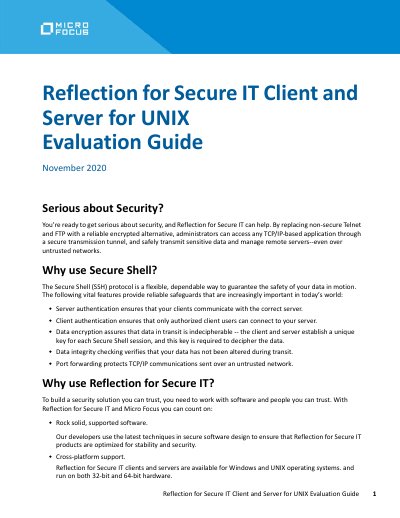
Reflection for Secure IT Client and Server for UNIX Evaluation Guide
This document serves as an evaluation guide for the Reflection for Secure IT Client and Server for UNIX, released in November 2020. It explains how the software provides secure alternatives to non-secure protocols like Telnet and FTP by using the Secure Shell (SSH) protocol. The guide highlights features such as server and client authentication, data encryption, and data integrity checking.
Covers: Getting started with Reflection for Secure IT · Displaying the host key fingerprint · Connect to localhost · Connecting securely to a remote server · Modify the default client and server settings · Configure public key authentication
Latest Micro Focus manuals
Micro Focus IDOL Connector Framework Server Version 12.9 Administration Guide
User Manual 228 pages · 4.1 MB · ENAdmin guide for Micro Focus IDOL Connector Framework Server 12.9, covering configuration, ingestion, filtering, and indexing.
Micro Focus GroupWise Mobility Service 18 Administration Guide
User Manual 106 pages · 1.4 MB · ENAdminister GroupWise Mobility Service 18 to manage synchronization between GroupWise and mobile devices.
Micro Focus LoadRunner 11 User Guide
User Manual 2 pages · 83 KB · ENUser guide for Micro Focus LoadRunner 11, covering installation, scripting, correlation, and performance testing.
Reflection for Secure IT Client and Server for UNIX Evaluation Guide
User Manual 8 pages · 145 KB · ENThis evaluation guide covers the installation and basic usage of the Reflection for Secure IT Client and Server for UNIX, including SSH connections and file…
Which document do I need?
User Manual
Day-to-day operation, settings and troubleshooting. Start here if the product is already set up.
Questions answered in Micro Focus manuals
What is the primary function of Connector Framework Server?
Connector Framework Server processes information retrieved by connectors and indexes it into one or more indexes, such as IDOL Server.
From: Micro Focus IDOL Connector Framework Server Version 12.9 Administration Guide
How does CFS handle container files like zip archives?
CFS extracts container files and uses KeyView to obtain text and file-specific metadata from them before discarding the original source file.
From: Micro Focus IDOL Connector Framework Server Version 12.9 Administration Guide
What is the URL format for accessing the Mobility Admin console as an administrator?
You access the console at https://mobility_server_address:8120, replacing the placeholder with your server's IP address or DNS hostname.
From: Micro Focus GroupWise Mobility Service 18 Administration Guide
Which user accounts can be used to log in as a Mobility administrator?
You must specify the user name of the Mobility administrator, which is either the root user or any other GroupWise user added as an administrator.
From: Micro Focus GroupWise Mobility Service 18 Administration Guide
What is LoadRunner used for?
LoadRunner is a software testing tool used to test applications, measuring system behaviour and performance under load.
What is the primary purpose of LoadRunner?
LoadRunner is a software testing tool used to test applications by measuring system behavior and performance under load.