
Key facts
- Manuals
- 2
- Languages
- EN
- Last added
- 2023-10-18
Featured Automated Precision manuals
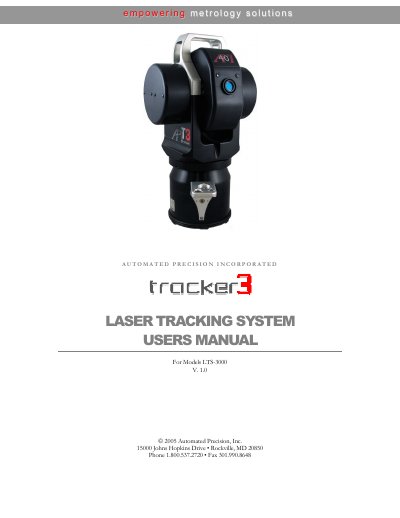
Automated Precision LTS-3000 V.1.0 Laser Tracking System User Manual
The Automated Precision LTS-3000 V.1.0 Laser Tracking System is a portable, high-precision coordinate measurement system designed for measuring the position of a target relative to the tracker. It combines interferometer-based laser optics with servo control technology and includes a unique TURBO ADM system for enhanced flexibility in measuring relative distances and monitoring movement. The system is used for inspecting large assemblies, calibrating robots, and error mapping machine tools.
Covers: System Overview · Precautions and Special Hardware Considerations · General Operating Specifications · Equipment Supplied · Setup Overview · Hardware Connections and Installation
Automated Precision TrackerCal3 Software User Manual for LTS-1000 and LTS-1100
This manual guides users through installing and operating the TrackerCal3 software for LTS-1000 and LTS-1100 laser trackers. It covers software setup, starting the program, and performing calibration tasks like One Point QVC and Backsight Accuracy Checks. The software provides tools to monitor system sensors, evaluate performance, and adjust for errors using graphical displays and measurement tools.
The manual includes detailed procedures for calibration, including ADM Verification and Birdbath Calibration, as well as tips for optimal use such as allowing the laser to warm up for half an hour before measurements.
Covers: Software Installation · Starting Software (TrackerCal3) · Software Operation · Main Menu & Software Functions · Evaluating System Performance · Monitoring the system sensors
Latest Automated Precision manuals
Automated Precision LTS-3000 V.1.0 Laser Tracking System User Manual
User Manual 25 pages · 894 KB · ENThis manual provides operating instructions, setup, maintenance, and troubleshooting information for the Automated Precision LTS-3000 V.1.0 Laser Tracking…
Automated Precision TrackerCal3 Software User Manual for LTS-1000 and LTS-1100
User Manual 15 pages · 541 KB · ENUser manual for TrackerCal3 calibration software compatible with LTS-1000 and LTS-1100 laser trackers, covering installation, operation, and system…
Which document do I need?
User Manual
Day-to-day operation, settings and troubleshooting. Start here if the product is already set up.
Questions answered in Automated Precision manuals
What is the required warm-up period for the system?
A warm-up period of at least 30 minutes from a cold start-up is required to obtain published accuracy.
From: Automated Precision LTS-3000 V.1.0 Laser Tracking System User Manual
What happens if the laser beam path is interrupted?
The distance measurement becomes invalid until the reflector is measured to a known reference distance such as the birdbath or TURBO ADM.
From: Automated Precision LTS-3000 V.1.0 Laser Tracking System User Manual
How do I install the TrackerCal3 software?
Insert the API calibration software CD, open the CD-ROM drive, and double-click on the 'TrackerCalib.exe' file. The setup program will guide you through installation.
From: Automated Precision TrackerCal3 Software User Manual for LTS-1000 and LTS-1100
What should I do before using the laser tracker?
Check system accuracy and performance by monitoring sensors and running a One Point QVC or Front sight / Back sight measurement.
From: Automated Precision TrackerCal3 Software User Manual for LTS-1000 and LTS-1100