
Key facts
- Manuals
- 3
- Languages
- EN · ZH
- Last added
- 2023-10-16
Featured Konica manuals
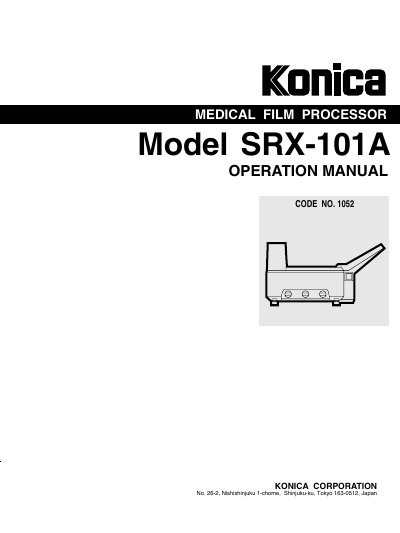
Konica SRX-101A Medical Film Processor Operation Manual
This manual provides operating instructions for the Konica SRX-101A medical film processor. It details mechanical procedures for film processing, including inserting cleaning and exposed films, and managing chemical replenishment. The document also outlines safety precautions, installation requirements, and troubleshooting steps for motor and temperature errors.
Covers: Name of Parts · Operating Procedures · Trouble Shooting · Service and Maintenance · Specifications · Precautions
Konica KM256/512/1024 Printer User Manual
This manual provides comprehensive instructions for the Konica KM256/512/1024 series of printers. It covers essential safety guidelines, including precautions for electric shock, scalds, and fire hazards, as well as general safety rules for operating the device. The document details the recommended hardware and software configurations, site preparation requirements, and step-by-step installation procedures, including hardware setup and software installation. This manual is written in Chinese.
Covers: Safety Guidance · Printer Device demand · KONICA machine main parts picture · Hardware installation · Software installation · Maintenance
Konica RX-1 Film Scanner User Interface Manual
This manual describes the Konica RX-1 Film Scanner User Interface program, a Twain data source application for Windows 95/98/NT4.0. It details how to launch the software via compatible applications like Adobe Photoshop or as an independent program. The guide explains the various scanning setup options, including film type selection (color negative, black-and-white negative, positive), focusing modes, and resolution settings for different film formats such as 135 and APS.
Covers: Introduction · Scan Setup · Mode Setting · Cropping · Frame Edge Detection · Sharpness
Latest Konica manuals
Konica SRX-101A Medical Film Processor Operation Manual
User Manual 31 pages · 469 KB · ENOperation manual for the Konica SRX-101A medical film processor, covering setup, operating procedures, maintenance, and specifications.
Konica KM256/512/1024 Printer User Manual
User Manual 69 pages · 4.1 MB · ZHUser manual for Konica KM256/512/1024 printers covering safety, installation, operation, maintenance, and troubleshooting.
Konica RX-1 Film Scanner User Interface Manual
User Manual 21 pages · 1.9 MB · ENUser interface manual for the Konica RX-1 film scanner, covering setup, scanning options, image enhancement, and software configuration for Windows.
Which document do I need?
User Manual
Day-to-day operation, settings and troubleshooting. Start here if the product is already set up.
Questions answered in Konica manuals
What happens if no film is inserted for 8 hours after the READY lamp goes on?
The RUN lamp will automatically go out.
From: Konica SRX-101A Medical Film Processor Operation Manual
How do you start the supply of processing chemicals?
Press and hold down the Replenishment button for about 5 seconds.
From: Konica SRX-101A Medical Film Processor Operation Manual
What materials can be loaded into the printer?
The printer is designed to load material that can work at a temperature of 125 °C (257 ° F).
How often should the ink bottle be replaced?
The ink bottle needs to be removed, cleaned, and dried after a period of time usually three months.
How can I launch the Konica RX-1 user interface program?
You can launch the program by selecting the source data from the File/Acquire menu of an application supporting Twain, or by double-clicking the icon which activates a Twain data source as an independent application.
What film types does the RX-1 support?
The RX-1 can acquire images from color negative film, black-and-white negative film, and positive film.