
Key facts
- Manuals
- 3
- Languages
- EN
- Last added
- 2023-10-26
Featured Golf Genius manuals

Golf Genius 2022 Interclub Instruction Manual
This manual helps team captains set up and manage their teams for the 2022 Interclub Golf Genius event. It covers logging in, configuring team rosters, adjusting handicaps, entering scores, and viewing live standings. The guide is organized into sections for easy navigation, with clear instructions for each task.
Key features include setting match pairings, selecting events and seasons, and accessing the dashboard to monitor team performance and standings.
Covers: Getting Started · Set Team Roster and Pairings · Setting Up the Match · Adjusting a Playing Handicap · Printing Scorecards · Entering Scores
Golf Genius TM Online User Manual
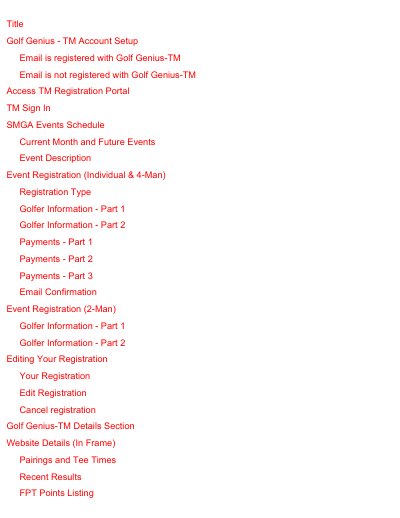
This document serves as a user guide for the Golf Genius TM system, specifically tailored for the Senior Men's Golf Association (SMGA). It explains how members can navigate the web-based portals to manage event registrations, view schedules, and access results. The manual covers the entire lifecycle of account management, from initial verification emails to signing in and accessing specific event data.
Covers: Account Setup · Access TM Registration Portal · TM Sign In · SMGA Events Schedule · Event Description · Editing Your Registration

Golf Genius Instruction Manual
The Golf Genius Instruction Manual guides users through the software platform designed for managing golf matches. It covers essential tasks such as logging in, creating accounts, and navigating the dashboard to access team and event information. The document is structured to help captains and players efficiently organize their teams and match details.
Covers: Getting Started · Set Team Roster and Pairings · Setting Up the Match · Printing Scorecards · Entering Scores · Live Scoring
Latest Golf Genius manuals
Golf Genius 2022 Interclub Instruction Manual
User Manual 49 pages · 4.8 MB · ENStep-by-step guide for team captains to manage rosters, pairings, scores, and standings in the 2022 Interclub Golf Genius tournament.
Golf Genius TM Online User Manual
User Manual 40 pages · 4 MB · ENThis manual provides instructions for setting up accounts, accessing the registration portal, and managing event schedules and results within the Golf…
Golf Genius Instruction Manual
User Manual 46 pages · 4 MB · ENThis manual provides step-by-step instructions for using Golf Genius software to manage golf matches, including setting rosters, entering scores, and…
Which document do I need?
User Manual
Day-to-day operation, settings and troubleshooting. Start here if the product is already set up.
Questions answered in Golf Genius manuals
How do I access the Golf Genius portal from my captain's email?
You must click on the link provided in the captain's email to log in or create an account.
Where can I find the settings icon to reach the Customer Center?
After clicking the email link, select the settings icon and then choose Customer Center.
What email address should members add to their contacts to avoid filtering verification emails?
Members should add [email protected] to their contacts as a safe sender.
Does the Golf Genius TM system use a Golf Genius ID (GGID) for portal access?
No, the SMGA does not use the GGID code for access to the registration portals.
How do I access the Golf Genius login or account creation link?
You must click on a specific link found in the captain's email to log in or create an account.
Where can I find the menu for setting lineups and entering scores?
You need to select the Team Captain Menu after logging into the portal.