
Key facts
- Manuals
- 3
- Languages
- ZH
- Last added
- 2023-10-20
Featured Jinwanwei manuals
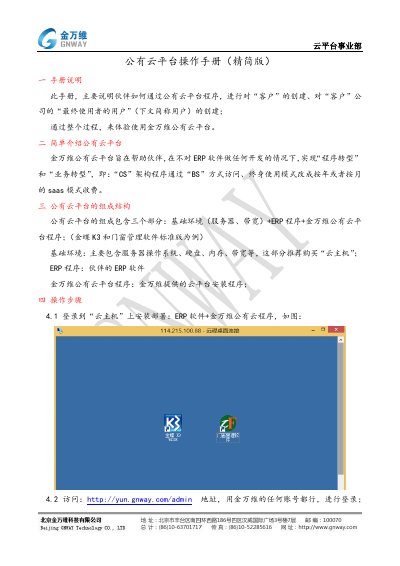
Jinwanwei Public Cloud Platform Operation Manual (Simplified Version)
The Jinwanwei Public Cloud Platform is designed to help partners achieve 'program transformation' and 'business transformation' without developing ERP software. It allows 'CS' architecture programs to be accessed via 'BS' and changes the licensing model from lifetime use to annual or monthly SaaS fees. The platform consists of three parts: the basic environment (servers, bandwidth), the partner's ERP program, and the Jinwanwei Public Cloud Platform program. This manual is written in Chinese.
Covers: Manual Description · Platform Introduction · Platform Structure · Installation Steps · Adding Hosts · Creating Customers

Jinwanwei E-SoonLink 2020 Standard Edition User Manual
The document provides a comprehensive guide to the Jinwanwei E-SoonLink 2020 Standard Edition software. It covers system requirements, installation procedures for both server and client sides, and detailed configuration instructions for backend management programs.
Key features include centralized application publishing, secure user authentication with SSL encryption, and bandwidth reduction by executing calculations on the server. The manual also explains how to access the system via computers, mobile devices (iOS/Android), and Mac clients, as well as network setup involving port mapping and dynamic domain name resolution. This manual is written in Chinese.
Covers: System Introduction · Quick Installation · Detailed Configuration · Client Login Usage · Port Mapping · Dynamic Domain Resolution
Jinwanwei Tianlian Standard Edition Apple Mac System Application Instructions
This document serves as an application guide for the Jinwanwei Tianlian Standard Edition software running on Apple Mac operating systems. It outlines the necessary steps to download, install, and configure the program.
The installation process involves downloading a specific package from the official website, installing the network card component via a .pkg file, and dragging the main application folder into the Applications directory. This manual is written in Chinese.
Covers: Installation Steps · Download Instructions · Network Card Installation · Application Launch · Login Procedure
Latest Jinwanwei manuals
Jinwanwei Public Cloud Platform Operation Manual (Simplified Version)
User Manual 5 pages · 569 KB · ZHThis manual explains how partners can use the Jinwanwei Public Cloud Platform to create customers, users, and publish applications without developing ERP…
Jinwanwei E-SoonLink 2020 Standard Edition User Manual
User Manual 62 pages · 4.9 MB · ZHThis manual guides users on installing, configuring, and using the Jinwanwei E-SoonLink 2020 Standard Edition system for remote access and application…
Jinwanwei Tianlian Standard Edition Apple Mac System Application Instructions
User Manual 3 pages · 138 KB · ZHThis manual provides installation and usage instructions for the Jinwanwei Tianlian Standard Edition VPN client on Apple Mac systems.
Which document do I need?
User Manual
Day-to-day operation, settings and troubleshooting. Start here if the product is already set up.
Questions answered in Jinwanwei manuals
What is the purpose of the Jinwanwei public cloud platform?
It helps partners achieve 'program transformation' and 'business transformation' without modifying ERP software.
From: Jinwanwei Public Cloud Platform Operation Manual (Simplified Version)
What are the three components that make up the public cloud platform?
The three components are: basic environment (servers, bandwidth) + ERP program + Jinwanwei public cloud platform program.
From: Jinwanwei Public Cloud Platform Operation Manual (Simplified Version)
What are the system requirements for the server?
The recommended server hardware includes a Pentium(R)Dual-Core CPU E5700 @3.00GHz, 2G RAM, and over 40G storage.
From: Jinwanwei E-SoonLink 2020 Standard Edition User Manual
Which operating systems are supported for the client?
The system supports all Windows series, Mac OSX 10.11.5 and higher versions.
From: Jinwanwei E-SoonLink 2020 Standard Edition User Manual
How much disk space does the standard installation require?
The standard installation will occupy 117 KB of space on your computer.
From: Jinwanwei Tianlian Standard Edition Apple Mac System Application Instructions
What version of the software is described in this manual?
The manual describes the Tianlian Standard Edition V4.1.
From: Jinwanwei Tianlian Standard Edition Apple Mac System Application Instructions