
Key facts
- Manuals
- 3
- Languages
- EN · ZH
- Last added
- 2026-10-27
Featured ICBC manuals
ICBC Internet Banking Assistant Installation Manual
The ICBC Internet Banking Assistant is a required security program for accessing ICBC Internet Banking. It is available in two versions, 32 Bits and 64 Bits, which must be selected based on the user's computer system type. The document guides users through checking their system type and selecting the correct version from the ICBC (Thai) website.
Covers: Introduction · How to Select the Program Language · Step-by-step to download and install the program · How to check your computer's system type · Authentication method selection
ICBC Singapore Personal Online Banking User Manual
This manual guides users through logging into ICBC Singapore's personal online banking system using a dynamic password device. It covers account management, transfers, bill payments, and card services. Users must first install the bank’s control software and activate their electronic password device before accessing features like balance checks, transaction history, and international transfers.
The manual also explains how to modify passwords, set login preferences, and manage credit card transactions including repayment and loss reporting. It includes detailed instructions for downloading and installing the bank’s helper tool, navigating menus, and handling common operations such as account inquiries and statement agreements. This manual is written in Chinese.
Covers: Login and Installation · Account Management · Transfers · Foreign Exchange · Credit Card Services · Statement Agreements
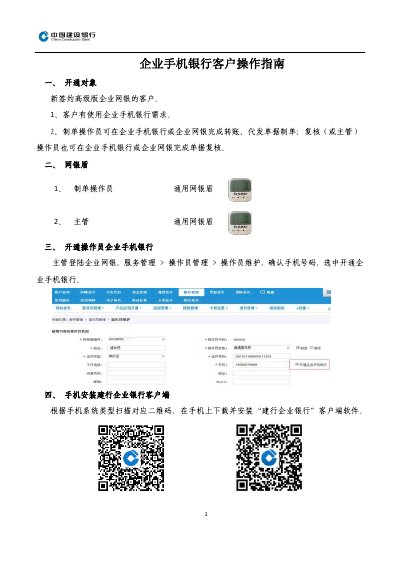
ICBC Corporate Mobile Banking Customer Operation Guide
This document serves as an operation guide for customers newly signed up for ICBC Advanced Corporate Online Banking. It outlines the eligibility criteria for using the service and details the roles of the 'Preparation Operator' and 'Review Operator' in handling transfer and payroll documents via the mobile banking application.
The guide provides step-by-step instructions for installing the 'ICBC Corporate Banking' client application on mobile devices, binding the mobile device to the account for the first time, and setting passwords for the general security token (USB key) to enable secure transactions. This manual is written in Chinese.
Covers: Eligibility · Token Usage · Operator Activation · Client Installation · Device Binding · Password Setup
Latest ICBC manuals
ICBC Internet Banking Assistant Installation Manual
User Manual 13 pages · 841 KB · ENThis manual provides step-by-step instructions for downloading, installing, and configuring the ICBC Internet Banking Assistant software for 32-bit and…
ICBC Singapore Personal Online Banking User Manual
User Manual 23 pages · 1.8 MB · ZHStep-by-step guide to using ICBC Singapore's personal online banking services including login, transfers, account management, and card services.
ICBC Corporate Mobile Banking Customer Operation Guide
Other 3 pages · 222 KB · ZHThis guide provides operational instructions for new customers of ICBC Advanced Corporate Online Banking, covering account activation, token setup, and…
Which document do I need?
User Manual
Day-to-day operation, settings and troubleshooting. Start here if the product is already set up.
Questions answered in ICBC manuals
What are the two types of the ICBC Internet Banking Assistant program?
The two types are Internet Banking Assistant 32 Bits and Internet Banking Assistant 64 Bits.
How do I check my computer's system type?
Right-click the 'Computer' icon on the desktop, click 'Properties', and check the system type under the 'System' subject.
What is the default password for first-time users?
The default login password for first-time users is '111111'.
How do I modify my login password?
After first login, the system prompts you to change the default password. Enter your original password and two new passwords, then confirm.
Who is eligible to open Enterprise Mobile Banking?
It is available for new customers who have signed up for the Advanced version of Corporate Online Banking and have a need to use the service.
From: ICBC Corporate Mobile Banking Customer Operation Guide
What must be done before using transfer functions for the first time?
The bill preparer must activate the function during their first use of the system.
From: ICBC Corporate Mobile Banking Customer Operation Guide