
Key facts
- Manuals
- 1
- Languages
- ZH
- Last added
- 2026-10-09
Featured Plink manuals
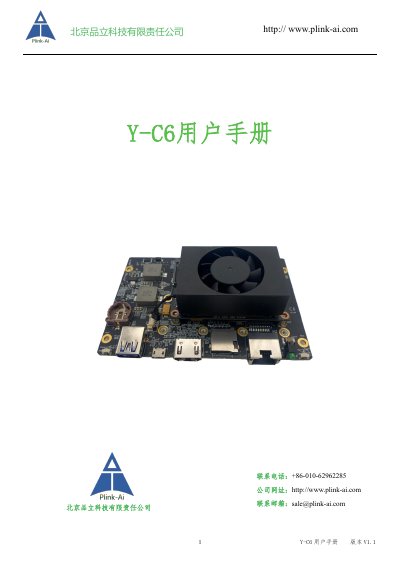
Plink Y-C6 Carrier Board User Manual
The Plink Y-C6 is a low-cost, compact carrier board designed for industrial deployment applications. It supports NVIDIA® Jetson™ Xavier NX, TX2 NX, and Nano series core modules and features extensive external interfaces including USB 3.0, Gigabit Ethernet, HDMI, MIPI camera connectors, and MiniPCIe slots for expansion.
The document details the board's physical layout, LED indicators, and buttons such as RESET and RECOVERY. It provides step-by-step instructions for system installation, power-up procedures, and entering Recovery mode for firmware updates. Additionally, it includes comprehensive pin definitions for all connectors, including USB, Ethernet, MIPI, MiniPCIe, GPIO, UART, SPI, I2C, and CAN interfaces. This manual is written in Chinese.
Covers: Product Features · Ordering Information · Fixed Accessories · Interface Functions and Locations · System Installation · Board Usage Instructions
Latest Plink manuals
Plink Y-C6 Carrier Board User Manual
User Manual 17 pages · 1.2 MB · ZHThis manual provides installation, usage, and interface definition instructions for the Plink Y-C6 carrier board compatible with NVIDIA Jetson core modules.
Which document do I need?
User Manual
Day-to-day operation, settings and troubleshooting. Start here if the product is already set up.
Questions answered in Plink manuals
Which NVIDIA Jetson core modules are compatible with the Y-C6?
The Y-C6 carrier board is designed to work with NVIDIA® Jetson™ Xavier NX, TX2 NX, and Nano series core modules.
How do I enter Recovery mode on the Y-C6?
To enter Recovery mode, connect a Micro-USB cable to port J2, press and hold the RECOVERY button (SW2) while powering on the system, and keep it pressed for over 3 seconds before releasing.