
Key facts
- Manuals
- 1
- Languages
- ZH
- Last added
- 2026-10-06
Featured Zhengjue manuals
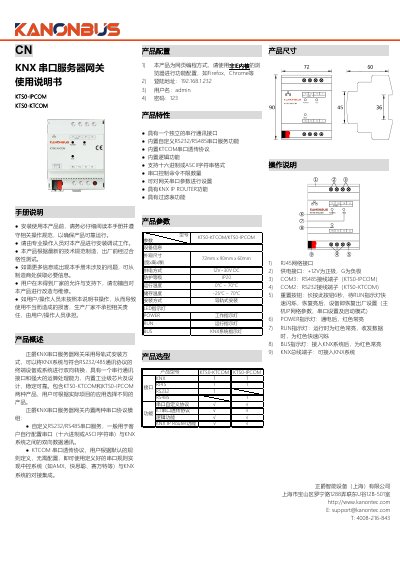
Zhengjue KTS0-IPCOM/KTS0-KTCOM KNX Serial Server Gateway User Manual
The Zhengjue KTS0-IPCOM/KTS0-KTCOM KNX serial server gateway provides bidirectional communication between KNX systems and RS232/RS485 devices. It features a rail‑mountable design, a single serial communication interface, built‑in industrial‑grade chips, and supports both custom RS232/RS485 services and the KTCOM transparent protocol.
The device is configured via a web interface (use a non‑IE browser) at the default address 192.168.1.232 with username "admin" and password "123". It includes indicator LEDs for power, run status, bus connection, and supports reset to factory defaults by holding the reset button for 6 seconds. This manual is written in Chinese.
Covers: 产品概述 · 产品配置 · 产品特性 · 产品参数 · 产品选型 · 产品尺寸
Latest Zhengjue manuals
Zhengjue KTS0-IPCOM/KTS0-KTCOM KNX Serial Server Gateway User Manual
User Manual 1 pages · 1.2 MB · ZHZhengjue KTS0-IPCOM/KTS0-KTCOM KNX serial server gateway manual with installation, configuration, and operation instructions.
Which document do I need?
User Manual
Day-to-day operation, settings and troubleshooting. Start here if the product is already set up.
Questions answered in Zhengjue manuals
What is the default web configuration address?
The default address is 192.168.1.232.
From: Zhengjue KTS0-IPCOM/KTS0-KTCOM KNX Serial Server Gateway User Manual
How do I reset the gateway to factory settings?
Press and hold the reset button for 6 seconds until the RUN indicator flashes, then the device restores factory defaults.
From: Zhengjue KTS0-IPCOM/KTS0-KTCOM KNX Serial Server Gateway User Manual