
Key facts
- Manuals
- 1
- Languages
- EN
- Last added
- 2026-10-30
Featured Wharfedale Pro manuals
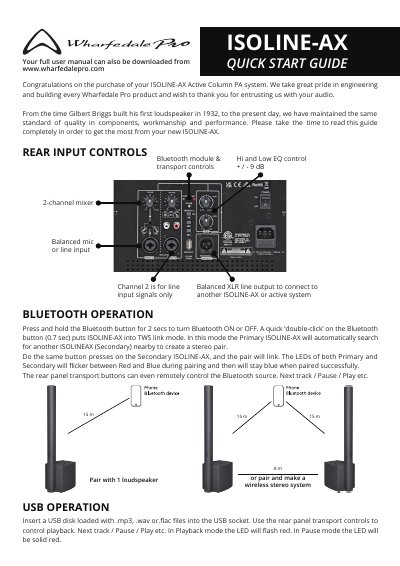
Wharfedale Pro ISOLINE-AX Active Column PA System Quick Start Guide
This guide introduces the ISOLINE-AX Active Column PA System by Wharfedale Pro, detailing how to use USB and Bluetooth for audio playback. It explains rear panel controls for mixing and transport functions. Installation instructions cover connecting base, subwoofer, and column units. Warranty information and dimensional drawings are also included.
Covers: USB Operation · Bluetooth Operation · Rear Input Controls · Installation Instructions · Warranty Information · Dimensional Drawings
Latest Wharfedale Pro manuals
Wharfedale Pro ISOLINE-AX Active Column PA System Quick Start Guide
Quick Start Guide 2 pages · 1011 KB · ENQuick start guide for Wharfedale Pro's ISOLINE-AX Active Column PA System covering USB, Bluetooth, rear controls, installation, and warranty.
Which document do I need?
Quick Start Guide
The shortest path to a working setup, usually only a few pages.
Questions answered in Wharfedale Pro manuals
How do I connect a USB drive to the ISOLINE-AX?
Insert a USB disk loaded with .mp3, .wav or .flac files into the USB socket.
From: Wharfedale Pro ISOLINE-AX Active Column PA System Quick Start Guide
How do I pair two ISOLINE-AX units for stereo?
Press and hold the Bluetooth button for 2 secs to turn Bluetooth ON or OFF. Double-click (0.7 sec) to enter TWS link mode. Both units will flicker red/blue during pairing and stay blue when paired.
From: Wharfedale Pro ISOLINE-AX Active Column PA System Quick Start Guide