
Key facts
- Manuals
- 1
- Languages
- EN
- Last added
- 2026-11-17
Featured WeBeHome manuals
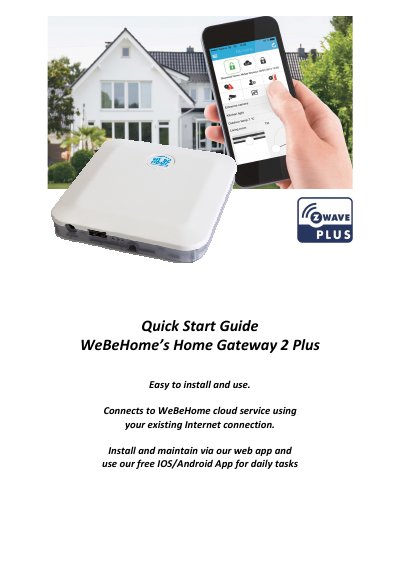
WeBeHome WBH-HG2+EU Home Gateway 2 Plus Quick Start Guide
This quick start guide explains how to set up the WeBeHome Home Gateway 2 Plus (WBH-HG2+EU). It walks through registering a login at webehome.com, connecting the gateway to a router with the included white network cable, plugging in the power adapter and waiting about five minutes while the system auto configures and auto updates itself. It then describes pairing the gateway to the account in the web app, adding an optional LS-10/LS-20/LS-30 Alarmbox over USB, adding Z-Wave accessories and using the We Be Home Control apps from App Store and Google Play.
The guide also covers the gateway's LED indicators, TCP ports 80 and 443 for outgoing traffic, wall mounting with the mounting plate and placement behind a router/firewall for security. A Z-Wave information section explains inclusion and exclusion of accessories, configuration parameters, associations and advanced functions, followed by a specifications page listing the association group, supported and controlled command classes, the Basic Command Class behavior and the 868.4 MHz Z-Wave frequency.
Covers: Connect the Home Gateway to your router · Plug in the power adapter and wait · Pair the Home Gateway to your account · Add optional Alarmbox · Add your Z-Wave accessory · The Home Gateway LED Indicators
Latest WeBeHome manuals
WeBeHome WBH-HG2+EU Home Gateway 2 Plus Quick Start Guide
Quick Start Guide 6 pages · 1006 KB · ENQuick start guide for the WeBeHome Home Gateway 2 Plus (WBH-HG2+EU): router connection, account pairing, Alarmbox and Z-Wave accessory setup.
Which document do I need?
Quick Start Guide
The shortest path to a working setup, usually only a few pages.
Questions answered in WeBeHome manuals
How do I connect the Home Gateway 2 Plus to my router?
Use the included white network cable between the Home Gateway and your router, and make sure the cable clicks in properly in the Home Gateway.
From: WeBeHome WBH-HG2+EU Home Gateway 2 Plus Quick Start Guide
How long should I wait after plugging in the power adapter?
Wait about 5 minutes; the system auto configures and auto updates itself the first time it is connected, and you should not unplug the power while the gateway is upgrading.
From: WeBeHome WBH-HG2+EU Home Gateway 2 Plus Quick Start Guide