
Key facts
- Manuals
- 5
- Languages
- EN
- Last added
- 2026-10-31
Featured Vanner manuals
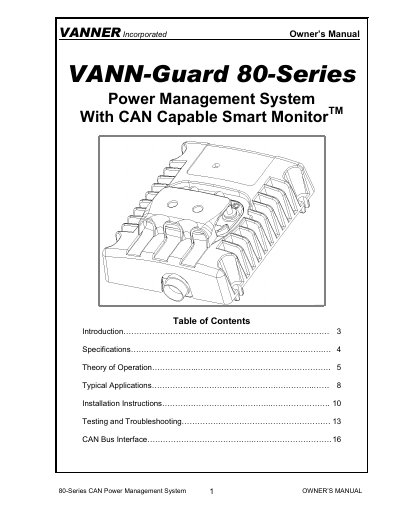
Vanner 80-Series CAN Power Management System Owner’s Manual
This manual provides detailed instructions for installing and operating the Vanner 80-Series CAN Power Management System, which converts 24V DC to regulated 12V DC while balancing battery voltages. It includes specifications, theory of operation, typical applications, installation steps, testing, troubleshooting, and CAN bus interface details. The system is designed for vehicles and alternate energy applications to extend battery life and ensure stable power delivery.
The 80-Series models (60A, 80A, 100A) can be operated in parallel for higher current output. The included Smart Monitor transmits real-time battery status and fault signals over the CAN bus to the vehicle’s electrical system controller.
Covers: Introduction · Specifications · Theory of Operation · Typical Applications · Installation Instructions · Testing and Troubleshooting
Vanner CAN Interface User Manual
The Vanner CAN Interface software provides a graphical user interface for managing Vanner CAN-based products. It supports various adapters, including PCAN from Peak and Vector CAN, and follows the J1939 communication protocol at a fixed speed of 250K bit/second. The software package consists of three files: the main executable, the PCAN_USB.dll driver, and the vxlapi.dll driver, which do not require installation.
Covers: Introduction · Connection to CAN Bus · Package Content · Main User Interface · Product Dashboards · CAN Data Analyzer
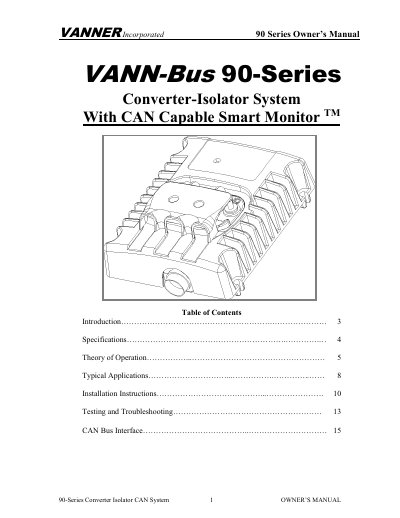
VANNER 90-60CAN Converter-Isolator CAN System Owner's Manual
The VANNER 90-Series Converter-Isolator is a power management system designed to maintain isolation between a vehicle's 24-Volt DC starting system and its 24-Volt DC auxiliary system. It regulates 24-Volt power and charges the auxiliary battery when conditions permit, extending battery life for vehicle and alternate energy applications. The system features a CAN (Controller Area Network) capable Smart Monitor that reports real-time fault signals and battery status to the vehicle's electrical system controller.
Covers: Introduction · Specifications · Theory of Operation · Typical Applications · Installation Instructions · Testing and Troubleshooting
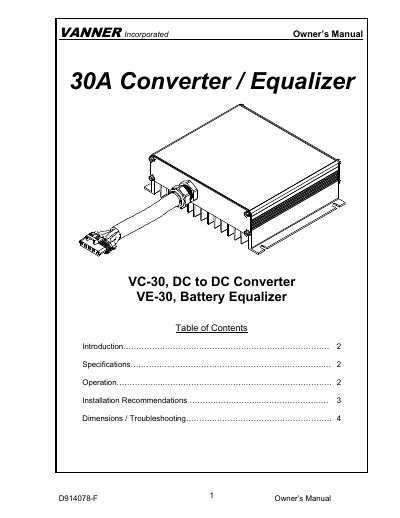
Vanner VC-30 DC to DC Converter Owner's Manual
The Vanner VC-30 is a 30-amp DC to DC converter designed to provide a 13.5V output from a 24V input source, maintaining voltage across a wide input range of 18 to 32Vdc. The related VE-30 model functions as a battery equalizer, supplying up to 30 amps from a 24V battery to a 12V battery wired in series. Both units feature anodized aluminum enclosures for protection against environmental factors and include ignition trigger capabilities to turn off when the ignition line drops below 1.5Vdc.
Covers: Introduction · Specifications · Operation · Installation Recommendations · Dimensions · Troubleshooting
Latest Vanner manuals
Vanner 80-Series CAN Power Management System Owner’s Manual
User Manual 50 pages · 539 KB · ENOwner’s manual for Vanner’s 80-Series CAN Power Management System, covering installation, operation, and CAN bus interface for 24V to 12V power conversion.
Vanner CAN Interface User Manual
User Manual 83 pages · 6 MB · ENThis manual describes the Vanner CAN Interface software, covering connection to CAN bus, software installation, registration, and usage of various product…
VANNER 90-60CAN Converter-Isolator CAN System Owner's Manual
User Manual 10 pages · 294 KB · ENThis manual provides installation, testing, and troubleshooting instructions for the VANNER 90-60CAN Converter-Isolator CAN System.
Vanner VC-30 DC to DC Converter Owner's Manual
User Manual 6 pages · 199 KB · ENThis manual covers the operation, installation, and troubleshooting for the Vanner VC-30 30A DC to DC converter and VE-30 battery equalizer.
LifeStar Ambulance Inverter Model 20-1050CUL-DC 20-1000TUL-DC Owner's Manual
User Manual 12 pages · 406 KB · ENThis manual covers the installation, operation, and troubleshooting of the Vanner LifeStar 20-1050CUL-DC ambulance inverter and charger.
Which document do I need?
User Manual
Day-to-day operation, settings and troubleshooting. Start here if the product is already set up.
Questions answered in Vanner manuals
Can the VANN-Guard be operated in parallel?
Yes, units can be operated in parallel to provide higher current output, e.g., two 60A units provide 120A.
From: Vanner 80-Series CAN Power Management System Owner’s Manual
What does the Smart Monitor do?
It monitors battery status and transmits real-time fault signals over the CAN bus to the vehicle’s electrical system controller.
From: Vanner 80-Series CAN Power Management System Owner’s Manual
Does the software require installation?
No, the software package files do not require installation.
What is the purpose of the CAN Bootloader?
It updates firmware in Vanner products via the CAN bus without disassembly.
What is the default output current setpoint?
The default setpoint for the output current is 60-Amps DC.
From: VANNER 90-60CAN Converter-Isolator CAN System Owner's Manual
What happens if the output voltage rises above 30-Volts?
The unit will power off for 10 seconds and perform a restart procedure.
From: VANNER 90-60CAN Converter-Isolator CAN System Owner's Manual