
Key facts
- Manuals
- 4
- Languages
- ZH · EN
- Last added
- 2026-10-23
Featured TUYA manuals
Tuya Smart App V3.29.5 User Manual
This document serves as a user guide for the Tuya Smart App version 3.29.5. It covers essential procedures such as downloading the application, creating an account, and logging in via various methods including email, phone number, and third-party social accounts. The guide also details how to enable biometric login for iOS and Android users. This manual is written in Chinese.
Covers: App Download · Registration and Login · Account Management · Device Addition · Device Control · Smart Automation

Tuya Wireless Sound&Flash Alarm Siren User Manual
This document serves as the user manual for the Tuya Wireless Sound&Flash Alarm Siren. It details the packing list, product appearance, and basic functions, including sound and flash alarm capabilities, low voltage monitoring, and wireless transmission features. The manual provides step-by-step instructions for installation on various surfaces, power-on procedures, and network settings via the device buttons.
Covers: Packing List · Product Features · Product Installation · Network Setting · Volume Adjustment · Anti-tamper Switch
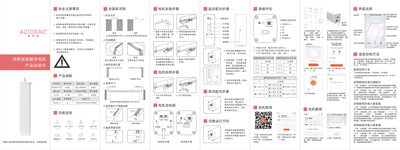
Tuya T5810-TY Motorized Curtain Blind User Manual
This document is a user manual for the Tuya T5810-TY motorized curtain blind. It details the product's specifications, installation requirements, and step-by-step procedures for mounting the motor. The guide covers how to connect the device to the Tuya Smart app via Wi-Fi and explains how to pair the motor with various remote controls. This manual is written in Chinese.
Covers: Interface Description · Wi-Fi Pairing Steps · Voice Assistant Integration · Product Parameters · Safety Precautions · Installation Steps
Tuya Smart V3.13.0 User Manual
The document serves as a user guide for the Tuya Smart & Smart Life mobile application, specifically version 3.13.0. It covers essential procedures such as downloading the app from stores, creating an account via email or phone number, and logging in using various methods including WeChat integration.
Covers: App Download · Registering/Logging in · Using the App · Device Control · Smart Automation · Smart Scenarios
Latest TUYA manuals
Tuya Smart App V3.29.5 User Manual
User Manual 122 pages · 14.4 MB · ZHThis manual provides instructions for downloading, registering, logging in, and using the Tuya Smart App V3.29.5 to manage and control IoT devices.
Tuya Wireless Sound&Flash Alarm Siren User Manual
User Manual 2 pages · 1.2 MB · ENThis user manual covers installation, operation, technical parameters, and warranty information for the Tuya Wireless Sound&Flash Alarm Siren.
Tuya T5810-TY Motorized Curtain Blind User Manual
User Manual 1 pages · 1.5 MB · ZHThis manual provides installation, pairing, and usage instructions for the Tuya T5810-TY motorized curtain blind, including Wi-Fi setup and voice assistant…
Tuya Smart V3.13.0 User Manual
User Manual 77 pages · 35.3 MB · ENThis manual provides instructions for downloading, registering, and using the Tuya Smart & Smart Life app version 3.13.0 to control devices.
Which document do I need?
User Manual
Day-to-day operation, settings and troubleshooting. Start here if the product is already set up.
Questions answered in TUYA manuals
How can I download the Tuya Smart App?
You can download the app by searching for 'Tuya Smart' in the Apple Store or major application markets, or by scanning the provided QR code.
Can I log in using my fingerprint or face ID?
Yes, the app supports biometric login; iOS supports Face ID and Android supports Touch ID for convenient and secure access.
How do I set the network on the siren?
Press the volume + and volume- buttons at the same time for more than 5 seconds. The red light will be on for 5 seconds, then the LED flashes for network setting.
How do I adjust the alarm volume?
When the siren alarms, press the volume + and - buttons to adjust the sound level.
Which voice assistants are supported?
The motor supports Tmall Genie, Xiao Ai, Baidu Xiao Du, Tencent Cloud Xiao Wei, JD Ding Dong, Ruo Qi, Apple Siri, Amazon Alexa, Google Home, and IFTTT.
What is the maximum weight the motor can lift?
The maximum load capacity is 60Kg.