
Key facts
- Manuals
- 1
- Languages
- EN
- Last added
- 2023-11-17
Featured Turn Key manuals
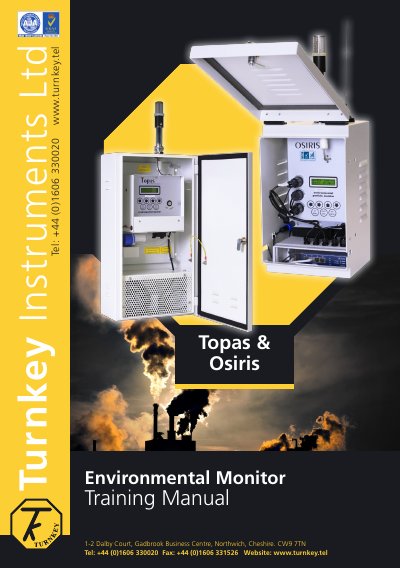
Turnkey Topas & Osiris Environmental Monitor Training Manual
Turnkey Instruments Ltd's Topas and Osiris are continuously recording dust and particle measuring instruments that use a unique light scattering technique. They give a continuous and simultaneous indication of the PM1, PM2.5, PM10 and TSP mass fractions.
This training manual covers the monitor technology, illustrations of the Osiris and Topas, keypad operation and setup, AirQ software use, a training exercise, lamp post box installation, monitor installations, minor maintenance, and contact details.
Covers: Introduction to Turnkey's environmental monitor technology · Monitor Illustrations · Using Turnkey's monitors · Setting up of a Monitor · Using Turnkey's Monitors via AirQ Software · Training Exercise
Latest Turn Key manuals
Turnkey Topas & Osiris Environmental Monitor Training Manual
User Manual 32 pages · 4.1 MB · ENTurnkey's training manual for the Topas and Osiris environmental monitors covers setup, operation, AirQ software, installation, and maintenance.
Which document do I need?
User Manual
Day-to-day operation, settings and troubleshooting. Start here if the product is already set up.
Questions answered in Turn Key manuals
How do I turn the monitor on?
Press RESET to turn the monitor on and wait for the display to read Topas or Osiris Ready.
From: Turnkey Topas & Osiris Environmental Monitor Training Manual
How do I delete the monitor memory?
When the display asks Reset Memory?, press the up button so it reads Yes, press Enter, then confirm Yes at the Are You Sure? prompt.
From: Turnkey Topas & Osiris Environmental Monitor Training Manual