
Key facts
- Manuals
- 1
- Languages
- EN
- Last added
- 2026-11-16
Featured ThermoTek manuals
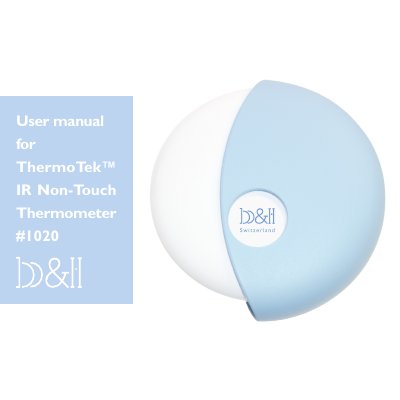
ThermoTek IR Non-Touch Thermometer #1020 User Manual
The ThermoTek IR Non-Touch Thermometer #1020 is an infrared thermometer that measures the infrared light emitted from the forehead and converts the measurements into an oral equivalent temperature. According to the manual, it was produced in conformance with ISO 13485:2003, European CE and United States FDA ASTM standards, and it complies with EEC directive 93/42. The device has a probe with an internal infrared sensor, a display, a "Measurement" (ON) button, a memory button "M" and a protective rotating cover that switches on a blue positioning ray.
The manual explains how to take a measurement at a distance of not more than 10 cm from the forehead, how body temperature varies and how to judge a fever, and how to recall readings with the memory function. It also covers replacing the 3V CR 2032 lithium battery and the two 1.5V AAA batteries for the blue ray, cleaning and maintenance, switching between °C and °F, a troubleshooting table, technical data, the 1-year warranty and electromagnetic compatibility information. The text provided is the English section of a manual that also contains German, Traditional Chinese and Simplified Chinese sections.
Covers: Characteristics · How to take a measurement · Body temperature · Important notes · Memory function · Replacing the battery
Latest ThermoTek manuals
ThermoTek IR Non-Touch Thermometer #1020 User Manual
User Manual 33 pages · 1.3 MB · ENUser manual for the ThermoTek IR Non-Touch Thermometer #1020: forehead measurement steps, memory function, battery replacement, maintenance and troubleshooting.
Which document do I need?
User Manual
Day-to-day operation, settings and troubleshooting. Start here if the product is already set up.
Questions answered in ThermoTek manuals
How do I take a temperature reading with the ThermoTek IR Non-Touch Thermometer?
Turn on the cover, wait for the READY message, then hold the probe at a distance of not more than 10 cm from the forehead, press the Measurement button and scan the forehead area up and down at about 5 cm of movement.
How do I switch the display between °C and °F?
Turn on the thermometer by turning the cover and press the "M" button to change from °C to °F readings and vice versa.