
Key facts
- Manuals
- 4
- Languages
- EN
- Last added
- 2023-10-18
Featured Terasic manuals
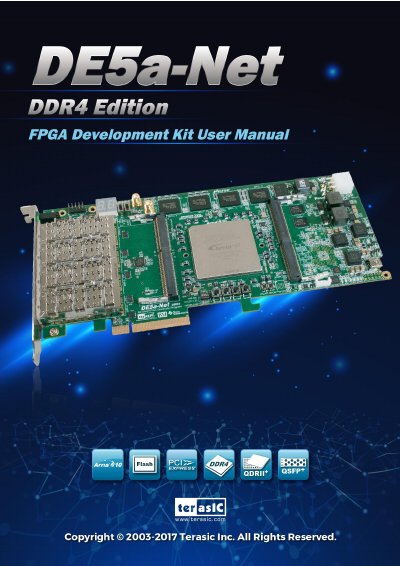
Terasic DE5a-NET DDR4 User Manual
This document provides detailed instructions for using the Terasic DE5a-NET DDR4 Edition Development Board, which features an Intel Arria 10 GX FPGA, DDR4 SO-DIMM memory, QDRII+ SRAM, and PCIe connectivity. It covers board components, system design, flash programming, peripheral reference designs, and PCIe configurations for both Windows and Linux. The manual includes setup guides, memory testing, and transceiver verification procedures.
The board is designed for high-performance applications such as cloud computing, data acquisition, and network processing, with support for 40G QSFP+ modules and low-latency communication. It includes user I/O, temperature sensors, fan control, and power monitoring for system management.
Covers: Overview · Board Components · System Builder · Flash Programming · Peripheral Reference Design · Memory Reference Design
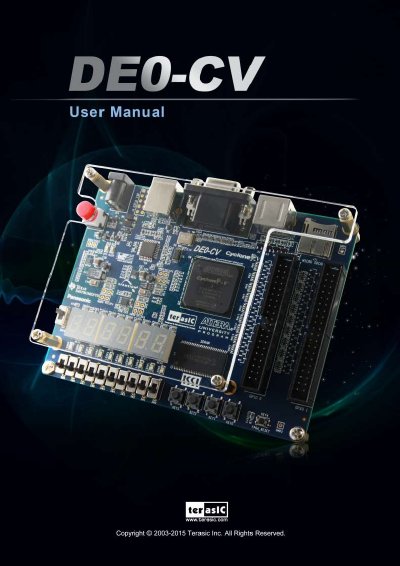
Terasic DE0-CV FPGA Development Board User Manual
The Terasic DE0-CV is a robust hardware design platform built around the Altera Cyclone V FPGA. It includes essential components such as an on-board USB Blaster, video capabilities, and various I/O interfaces for prototyping and evaluating FPGA designs. The board is designed to work with a computer running Microsoft Windows XP or later.
Covers: Package Contents · Control Panel Setup · Using the LEDs and Switches · Using the 7-segment Displays · Using VGA · Using SDRAM
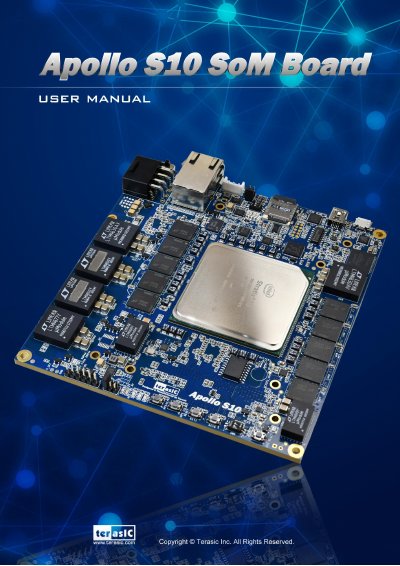
Terasic Apollo S10 SoM User Manual
The Terasic Apollo S10 SoM is a high-performance FPGA prototyping and HPC solution designed for modular scalability. It features an Intel Stratix 10 SoC with 2,800K logic elements and up to 64GB of DDR4 SDRAM, delivering significant performance increases over CPUs for workloads like simulation acceleration and machine learning. The board includes high-end interfaces such as FMC/FMC+ connectors, Gigabit Ethernet, and USB OTG.
Covers: Overview · Board Component · System Builder · Dashboard GUI · Transceiver Verification · Getting Help
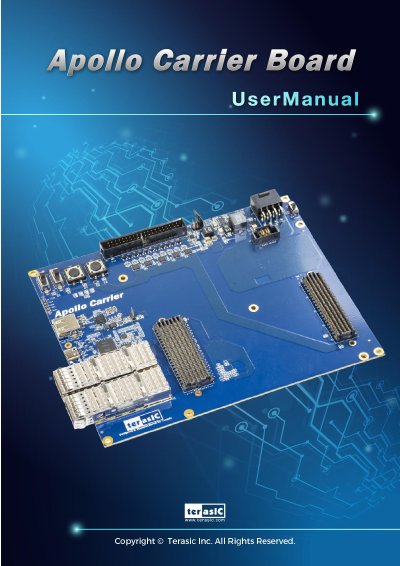
Terasic Apollo Carrier Board User Manual
The Terasic Apollo Carrier Board is a carrier board design for the Apollo S10 SoM board, communicating via FMC and FMC+ connectors. It provides 12V DC power to the S10 module and features key hardware including two QSFP28 connectors for 40G Ethernet, a clock generator, and a Thunderbolt 3 interface for PCIe Gen3 x4 connectivity.
Covers: Overview · Board Components · Board Assembly · Setup Thunderbolt 3 · PCI Express Reference Design · Transceiver Verification
Latest Terasic manuals
Terasic DE5a-NET DDR4 User Manual
User Manual 171 pages · 8.7 MB · ENUser manual for Terasic's DE5a-NET DDR4 FPGA development board with Arria 10 GX FPGA, DDR4 memory, and PCIe support.
Terasic DE0-CV FPGA Development Board User Manual
User Manual 60 pages · 2.2 MB · ENThis manual provides instructions for using the Terasic DE0-CV development board, including control panel setup, component usage, and advanced demonstrations.
Terasic Apollo S10 SoM User Manual
User Manual 106 pages · 8 MB · ENThis user manual covers the overview, board components, system builder, dashboard GUI, and transceiver verification for the Terasic Apollo S10 SoM.
Terasic Apollo Carrier Board User Manual
User Manual 56 pages · 4 MB · ENThis manual provides installation, assembly, and usage instructions for the Terasic Apollo Carrier Board, including Thunderbolt 3 setup and PCIe reference…
Which document do I need?
User Manual
Day-to-day operation, settings and troubleshooting. Start here if the product is already set up.
Questions answered in Terasic manuals
What is the PCIe support on this board?
It supports PCIe x8 Gen1/2/3 with edge connectors for PC motherboards.
How do I program the FPGA?
Use the on-board USB Blaster II or JTAG header with Quartus Prime Programmer, or configure via MAX II CPLD and flash memory.
What operating systems are supported by the DE0-CV?
The board is designed to work with a computer that runs Microsoft Windows XP or later.
How do I activate the Control Panel software?
To activate the Control Panel, ensure Quartus II is installed, set the RUN/PROG switch to RUN, connect the USB cable and power, then launch the executable.
What is the purpose of the Apollo S10 SoM?
It is designed for modular and scalable high-performance FPGA Prototyping and HPC solutions.
How does the Apollo S10 SoM compare to CPUs?
It provides up to 90X performance increase over CPUs for critical workloads.