
Key facts
- Manuals
- 1
- Languages
- EN
- Last added
- 2023-10-18
Featured Sunitec manuals
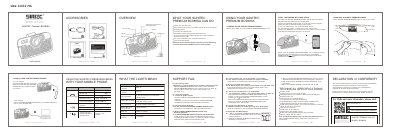
SUNITEC BC980SA Bluetooth Headset User Manual
The SUNITEC Premium BC980SA is a Bluetooth headset designed for use in vehicles. It features an HD voice microphone with noise cancellation, allowing users to answer, end, and reject calls, as well as play music and GPS instructions from a connected mobile device. The headset supports connecting to two mobile phones simultaneously and includes voice dialing capabilities for Siri, Google Assistant, or other voice control software.
Covers: Overview · Using Your SUNITEC Premium BC980SA · Using the SUNITEC Premium BC980SA with Your Mobile Phone · What the Lights Mean · Support FAQ · Technical Specifications
Latest Sunitec manuals
SUNITEC BC980SA Bluetooth Headset User Manual
User Manual 2 pages · 534 KB · ENThis user manual provides instructions for operating the SUNITEC BC980SA Bluetooth headset, including pairing, charging, and troubleshooting.
Which document do I need?
User Manual
Day-to-day operation, settings and troubleshooting. Start here if the product is already set up.
Questions answered in Sunitec manuals
How do I pair the headset with my mobile phone?
Press and hold the Multi-function button for 3 seconds until the LED indicator flashes blue and red alternately, then select the device from your phone's Bluetooth list.
What does the LED indicator mean when it flashes blue once every 10 seconds?
This indicates that a mobile phone's Bluetooth is connected to the SUNITEC PREMIUM BC980SA.