
Key facts
- Manuals
- 2
- Languages
- EN · ES
- Last added
- 2023-10-19
Featured SkyLink manuals
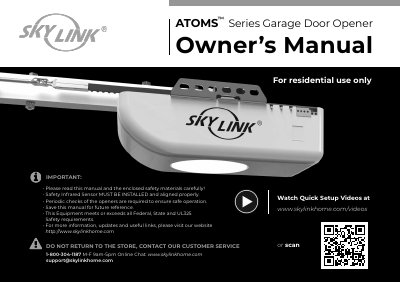
Skylink ATOMS Series Garage Door Opener User Manual
This manual provides step-by-step instructions for installing and operating the Skylink ATOMS Series garage door opener. It includes safety warnings, pre-installation checks, assembly of rail and components, programming, operation, maintenance, and troubleshooting. Safety features like infrared sensors and emergency release are emphasized. The document is for residential use only and meets UL325 safety standards.
Covers: Pre-Installation Checklist · Parts And Accessories · Hardware · Important Instructions · Assemble The Rail · Installation
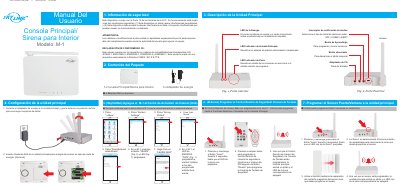
Skylink M-1 Main Host/Indoor Alarm User Manual
The Skylink M-1 is an indoor alarm console that includes a power adapter, requires four AAA batteries for backup power, and features buttons for silencing alarms, learning sensors, and selecting alert notification types. The device supports up to four remote controls or keypads and can program up to four sensors per zone. This manual is written in Spanish.
Covers: Información de seguridad · Contenido del Paquete · Descripción de la Unidad Principal · Configuración de la unidad principal · El funcionamiento del Sistema de Alarma · Activar el Modo de Timbre o Alerta
Latest SkyLink manuals
Skylink ATOMS Series Garage Door Opener User Manual
User Manual 38 pages · 6.5 MB · ENUser manual for Skylink ATOMS Series garage door opener with safety, installation, and operation instructions.
Skylink M-1 Main Host/Indoor Alarm User Manual
User Manual 2 pages · 1.9 MB · ESThis user manual provides instructions for the Skylink M-1 indoor alarm console, covering setup, sensor programming, system arming/disarming, and…
Which document do I need?
User Manual
Day-to-day operation, settings and troubleshooting. Start here if the product is already set up.
Questions answered in SkyLink manuals
What should I do if the garage door is not balanced?
Have a qualified garage door professional adjust or repair the door before installing the opener.
Can I use the Auto-Close Timer and Orbit Home Smartphone app with a one-piece door?
No, these features can only be used with sectional doors.
Can I use only batteries to power the control panel?
It is recommended to power the control panel with the AC adapter; install batteries for operation during a power outage.
How do I know which sensor or remote is causing a flashing LED issue?
You need to test each remote/keyboard/sensor individually to identify the specific device having the problem.