
Key facts
- Manuals
- 1
- Languages
- JA
- Last added
- 2026-11-05
Featured Shuttle manuals
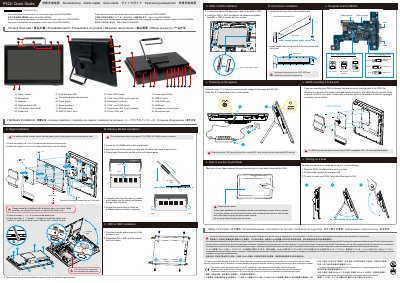
Shuttle P52U Quick Guide
This guide covers safety precautions and hardware installation for the Shuttle P52U, including memory, HDD/SSD, and M.2 device setup. It also explains how to mount the device on a desk or wall using a VESA-compatible bracket. The P52U features a touch panel for operation and includes ports for USB, HDMI, LAN, and audio. Users must press the 'Del' key to enter BIOS during boot. This manual is written in Japanese.
Covers: Safety Information · Hardware Installation · Memory Module Installation · HDD or SSD Installation · M.2 Device Installation · Mounting on Desk or Wall
Latest Shuttle manuals
Shuttle P52U Quick Guide
Quick Start Guide 2 pages · 2.6 MB · JAQuick guide for installing and using the Shuttle P52U, including safety, hardware setup, and touch panel operation.
Which document do I need?
Quick Start Guide
The shortest path to a working setup, usually only a few pages.
Questions answered in Shuttle manuals
What is the maximum operating temperature for the P52U?
The maximum operating temperature is 40℃.
From: Shuttle P52U Quick Guide
How do I mount the P52U on a wall?
Remove the back cover, unscrew the stand mount, and use a VESA-compatible 100 x 100 mm wall/arm bracket to mount it.
From: Shuttle P52U Quick Guide