
Key facts
- Manuals
- 1
- Languages
- EN
- Last added
- 2023-11-19
Featured RIOTEC manuals
Riotec FS5100D Barcode Scanner Quick Start Guide
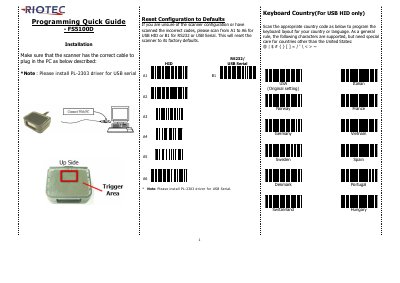
This quick guide covers installation and programming for the Riotec FS5100D barcode scanner. It explains how to connect the scanner to a PC, install the PL-2303 driver for USB serial, and reset the scanner to factory defaults using barcode labels A1 through A6 or B1.
The document also lists keyboard country codes for USB HID mode and provides step-by-step instructions to enable or disable 1D symbologies such as UPC-A, EAN-13, Code 39, and others using start and end configuration barcodes.
Covers: Programming Quick Guide · Installation · Reset Configuration to Defaults · Keyboard Country · Barcode Configuration · 1D Symbologies
Latest RIOTEC manuals
Riotec FS5100D Barcode Scanner Quick Start Guide
Quick Start Guide 2 pages · 556 KB · ENProgramming and installation instructions for the Riotec FS5100D barcode scanner, including factory default reset and 1D symbology configuration.
Which document do I need?
Quick Start Guide
The shortest path to a working setup, usually only a few pages.
Questions answered in RIOTEC manuals
How do I reset the scanner to factory defaults?
Scan barcodes A1 to A6 for USB HID or B1 for RS232 or USB Serial.
What driver is required for USB serial?
Install the PL-2303 driver for USB serial.