
Key facts
- Manuals
- 1
- Languages
- EN
- Last added
- 2026-10-28
Featured rako manuals
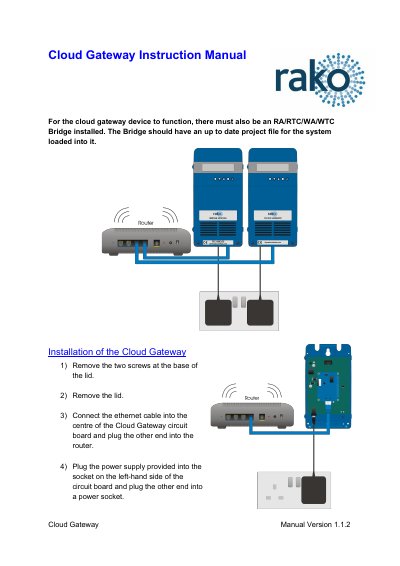
Rako Cloud Gateway Installation and Setup Manual
The Cloud Gateway device requires an RA/RTC/WA/WTC Bridge with an up-to-date project file to function. To install the device, remove the lid screws and cover, then connect the Ethernet cable to the center of the circuit board and plug the power supply into the left-hand side socket.
Covers: Installation · Setup · Account Creation · Linking Device
Latest rako manuals
Rako Cloud Gateway Installation and Setup Manual
User Manual 2 pages · 520 KB · ENThis manual provides instructions for installing and setting up the Rako Cloud Gateway device, including hardware connection and account linking procedures.
Which document do I need?
User Manual
Day-to-day operation, settings and troubleshooting. Start here if the product is already set up.
Questions answered in rako manuals
What device must be installed alongside the Cloud Gateway for it to function?
An RA/RTC/WA/WTC Bridge with an up to date project file loaded into it must also be installed.
How do you connect the power supply to the Cloud Gateway?
Plug the power supply into the socket on the left-hand side of the circuit board and then plug the other end into a power socket.