
Key facts
- Manuals
- 1
- Languages
- EN
- Last added
- 2023-11-29
Featured Plusrite manuals
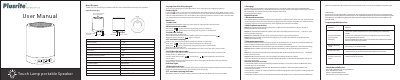
Plusrite Q1 Touch Lamp Portable Speaker User Manual
The document is a one-page user manual for the Plusrite Q1 touch lamp portable speaker. It explains how to turn the speaker on and off, switch between Bluetooth and lighting modes, use hands-free calling, play music from a TF card or AUX input, and charge the speaker.
The manual lists product specifications including lamp power, lumen output, warm white LED color, 3.7 V Li-ion battery, speaker output power, driver unit, frequency range, Bluetooth transmission range, dimensions, audio input, and input power. It also includes indicator light meanings, Bluetooth pairing steps for phones and computers, lamp brightness control, and a troubleshooting FAQ.
Covers: Button icon · Hands-free calling · TF card music playing · AUX IN audio input mode · Indicator light · Charging
Latest Plusrite manuals
Plusrite Q1 Touch Lamp Portable Speaker User Manual
User Manual 1 pages · 606 KB · ENUser manual for the Plusrite Q1 touch lamp portable speaker, covering Bluetooth pairing, TF card and AUX playback, lighting control, charging, and…
Which document do I need?
User Manual
Day-to-day operation, settings and troubleshooting. Start here if the product is already set up.
Questions answered in Plusrite manuals
How do I pair the speaker with a phone?
Open the phone's Bluetooth settings, search for devices, and select “Q1” to pair.
How do I control the lamp brightness?
Tap the top mesh to cycle through low, intermediate, and high brightness; tap again at high brightness to turn the light off.