
Key facts
- Manuals
- 4
- Languages
- EN
- Last added
- 2026-10-13
Featured pico Technology manuals
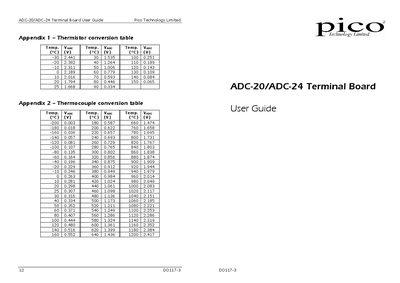
Pico Technology ADCJ20/ADCJ241 Terminal Board User Guide
The ADCJ20/ADCJ241 Terminal Board is designed for use with the 8-channel ADCJ20 and 16-channel ADCJ24 High Resolution Data Loggers. It allows users to connect sensor wires directly to screw terminals without soldering or, for advanced applications, design custom sensor circuits using provided component sites.
The guide details how to take measurements of voltage, current, light level, pH, and temperature. Specific instructions are provided for connecting various sensors, including the LM35DZ IC, precision thermistors, thermocouples with an AD595 IC, LDRs, and standard pH probes.
Covers: Overview · Terminals and component sites · Connecting to the data logger · Taking measurements (Voltage) · Taking measurements (Current) · Taking measurements (Light level)
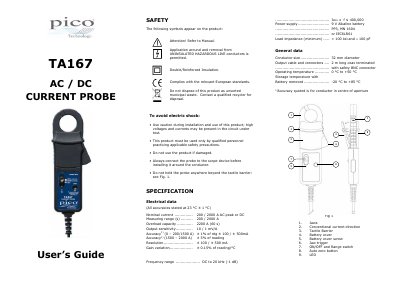
Pico Technology TA167 AC/DC Current Probe User's Guide
This user guide explains how to safely operate the TA167 AC/DC current probe, including safety precautions, auto zeroing, current measurement, and battery replacement. It also details specifications such as measuring range, accuracy, and operating temperature. The probe is designed for use with oscilloscopes and complies with EN 61010 safety standards.
The guide includes operating instructions for switching on, auto zeroing, clamping the probe, and auto power-off. Safety warnings emphasize keeping fingers behind the tactile barrier and inspecting the probe before use. Battery replacement is described with steps to safely remove and replace the 9V alkaline battery.
Covers: Safety · Specifications · Operating Instructions · Auto Zero · Current Measurement · Auto Power Off
PicoVNA 6 and 8.5 GHz Vector Network Analyzers User's Guide
The document serves as a comprehensive user's guide for the PicoVNA 6 and 8.5 GHz Vector Network Analyzers (Models 106 and 108). It details safety precautions, including maximum input/output voltage ranges and environmental operating conditions.
Key operational topics include quick start procedures for software installation, loading calibration kits (manual SOLT or automated E-Cal), setting up display parameters, and running in demo mode. The guide also provides specific calibration tips regarding bandwidth and power settings to optimize dynamic range.
Covers: Safety · Quick Start Guide · Software Installation · Calibration Kits · Display Setup · Environment Specifications
Pico Technology ADC-200/212/216 User's Manual
This user guide provides instructions for the ADC-200, ADC-212, and ADC-216 series of high-speed analogue-to-digital converters. It explains how to connect the units to a PC via parallel port or USB adapter, check installation, and use the device with PicoScope or PicoLog software. The manual also covers safety warnings, product features, and principles of operation.
Covers: Introduction · Connecting to the PC · Safety Warning · Product Features · Specifications · Equivalent Time Sampling (ETS)
Latest pico Technology manuals
Pico Technology ADCJ20/ADCJ241 Terminal Board User Guide
User Manual 8 pages · 651 KB · ENThis user guide explains how to use the Pico Technology ADCJ20/ADCJ241 Terminal Board with data loggers for measuring voltage, current, light level, pH, and…
Pico Technology TA167 AC/DC Current Probe User's Guide
User Manual 2 pages · 270 KB · ENUser guide for the TA167 AC/DC current probe by Pico Technology, covering safety, operation, and battery replacement.
PicoVNA 6 and 8.5 GHz Vector Network Analyzers User's Guide
User Manual 105 pages · 4.4 MB · ENThis user guide covers the installation, calibration, operation, and safety instructions for PicoVNA 6 and 8.5 GHz vector network analyzers.
Pico Technology ADC-200/212/216 User's Manual
User Manual 37 pages · 478 KB · ENThis manual covers the ADC-200, ADC-212, and ADC-216 high-speed analog-to-digital converters, detailing connection, safety, features, specifications, and…
Which document do I need?
User Manual
Day-to-day operation, settings and troubleshooting. Start here if the product is already set up.
Questions answered in pico Technology manuals
Can I measure mains current?
No. The guide explicitly warns not to use the shunt resistor method for measuring mains currents and advises seeking professional advice.
From: Pico Technology ADCJ20/ADCJ241 Terminal Board User Guide
How do I zero the TA167 probe?
Select the required measuring range and depress the Auto Zero button while ensuring the probe is away from the current-carrying conductor.
From: Pico Technology TA167 AC/DC Current Probe User's Guide
What is the measuring range of the TA167?
The measuring range is 200 A and 2000 A.
From: Pico Technology TA167 AC/DC Current Probe User's Guide
Can I use the PicoVNA in wet conditions?
No, the product is suitable for indoor or outdoor use only in dry locations and must not be used near explosive gas or vapor.
From: PicoVNA 6 and 8.5 GHz Vector Network Analyzers User's Guide
What torque should be applied to stainless steel connectors?
Pico recommends 1 Nm (8.85 inch-lb) for supplied and all stainless steel connectors.
From: PicoVNA 6 and 8.5 GHz Vector Network Analyzers User's Guide
What are the supported models in this manual?
The manual covers the ADC-200, ADC-212, and ADC-216 products.