
Key facts
- Manuals
- 1
- Languages
- EN
- Last added
- 2023-10-19
Featured PC Treasures manuals
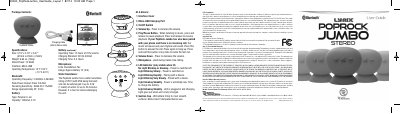
PC Treasures PopRock Jumbo Portable Bluetooth Speaker User Manual
This user manual explains how to charge, pair, and operate the PopRock Jumbo Bluetooth speaker. It includes instructions for using the speaker as a phone stand and connecting two units in stereo mode. The guide also covers troubleshooting tips and warranty information.
The PopRock Jumbo features a water resistance rating of IPX7, a 10W rated power, and a 12-hour battery life at 70% volume. It connects via Bluetooth 2.400GHz-2.480GHz and includes a Micro-USB charging port. The speaker has a suction cup for mounting and LED indicators for status.
Covers: Package Contents · Specifications · Charging the PopRock Jumbo · Using a Single PopRock Jumbo in Standard Mode · Pairing the PopRock Jumbo with a Bluetooth-Enabled Device · Troubleshooting
Latest PC Treasures manuals
PC Treasures PopRock Jumbo Portable Bluetooth Speaker User Manual
User Manual 2 pages · 279 KB · ENUser guide for the PC Treasures PopRock Jumbo portable Bluetooth speaker, covering charging, pairing, stereo mode, and troubleshooting.
Which document do I need?
User Manual
Day-to-day operation, settings and troubleshooting. Start here if the product is already set up.
Questions answered in PC Treasures manuals
How do I charge the PopRock Jumbo?
Open the Interface Cover, insert the Micro-USB end of the cable into the port, and plug the USB end into a computer or USB wall charger. The LED will glow steadily while charging.
From: PC Treasures PopRock Jumbo Portable Bluetooth Speaker User Manual
How do I pair the PopRock Jumbo with my device?
Turn the speaker on, and it will blink steadily. On your device, select "Jumbo Stereo". The LED will blink quickly while pairing, then slowly once every five seconds when paired.
From: PC Treasures PopRock Jumbo Portable Bluetooth Speaker User Manual