
Key facts
- Manuals
- 5
- Languages
- EN
- Last added
- 2023-10-19
Featured ParkerVision manuals

ParkerVision HZ1500USB Wireless USB LAN Adapter User's Guide
This guide provides step-by-step instructions for installing and configuring the ParkerVision HZ1500USB Wireless USB LAN Adapter. It covers software installation, hardware setup, network configuration, and troubleshooting tips. The adapter is designed for use with Windows XP or 2000 systems and offers enhanced wireless performance using D2D™ Technology.
The manual includes sections on advanced management via the D2D/Horizons Management Utility, SSID and WEP encryption settings, and troubleshooting common issues. It also details system requirements and customer support options, including online resources and contact information.
Covers: Getting Started · Software Installation · Hardware Installation · D2D/Horizons Management Utility · Troubleshooting · Network Configuration
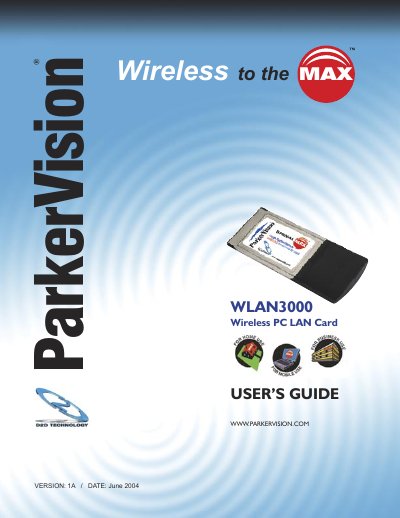
ParkerVision WLAN3000 Wireless PC LAN Card User's Guide
This guide helps users install and configure the ParkerVision WLAN3000 wireless LAN card for use with compatible PCs. It includes step-by-step instructions for software and hardware setup, configuration of wireless connections, and troubleshooting tips. The card supports IEEE 802.11b standards and uses D2D™ technology for improved range and performance.
The guide also covers warranty information, customer support resources, and system requirements, including compatibility with Windows XP or 2000, 300MHz processor, and 128MB RAM.
Covers: Introduction · Getting Started · Software Installation · Hardware Installation · D2D/ParkerVision Management Utility · Troubleshooting
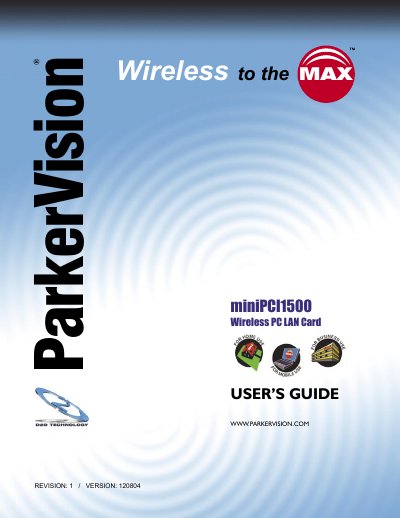
ParkerVision miniPCI1500 Wireless PC LAN Card User's Guide
This guide helps users install and configure the ParkerVision miniPCI1500 Wireless PC LAN Card. It includes sections on hardware and software installation, D2D management utility, troubleshooting, and technical specifications. The card is designed for laptops with miniPCI slots and supports IEEE 802.11b standards for wireless connectivity.
The manual also covers warranty terms, FCC compliance, customer support, and system requirements, including Windows XP or 2000, 300MHz processor, and 128MB RAM.
Covers: Introduction · Getting Started · Software Installation · Hardware Installation · D2D/ParkerVision Management Utility · Troubleshooting

ParkerVision 1500WR Wireless 4-Port Router User's Guide
This guide helps users install and configure the ParkerVision 1500WR Wireless 4-Port Router. It includes steps for software installation, hardware setup, and network management using the D2D/Horizons Management Utility. The router supports 802.11b/g networks and is designed for home or small office use.
The manual also covers troubleshooting, hardware specifications, and customer support resources, including online help and email support.
Covers: Getting Started · Software Installation · Hardware Installation · D2D/Horizons Management Utility · Troubleshooting · Network Configuration
Latest ParkerVision manuals
ParkerVision HZ1500USB Wireless USB LAN Adapter User's Guide
User Manual 37 pages · 935 KB · ENUser guide for ParkerVision's HZ1500USB wireless USB LAN adapter, covering installation, configuration, and troubleshooting.
ParkerVision WLAN3000 Wireless PC LAN Card User's Guide
User Manual 37 pages · 1 MB · ENUser guide for the ParkerVision WLAN3000 wireless LAN card, covering installation, setup, and troubleshooting.
ParkerVision miniPCI1500 Wireless PC LAN Card User's Guide
User Manual 36 pages · 1.1 MB · ENUser guide for ParkerVision's miniPCI1500 wireless LAN card, covering installation, software setup, and advanced management.
ParkerVision 1500WR Wireless 4-Port Router User's Guide
User Manual 106 pages · 3.8 MB · ENUser guide for ParkerVision's 1500WR wireless router, covering setup, software, and troubleshooting.
ParkerVision HZ1500 Wireless LAN Card User's Guide
User Manual 38 pages · 1.7 MB · ENUser guide for ParkerVision's HZ1500 Wireless LAN Card, covering installation, driver setup, configuration, and troubleshooting.
Which document do I need?
User Manual
Day-to-day operation, settings and troubleshooting. Start here if the product is already set up.
Questions answered in ParkerVision manuals
What operating systems are supported?
Windows XP or 2000.
From: ParkerVision HZ1500USB Wireless USB LAN Adapter User's Guide
What is the maximum range of the adapter?
Up to one mile when used with a D2D enabled base station.
From: ParkerVision HZ1500USB Wireless USB LAN Adapter User's Guide
What are the minimum system requirements to use the WLAN3000 Wireless PC LAN Card?
The card requires a PC laptop with a 300 MHz or better processor, 128 Mb of RAM, and an available Cardbus-Type II Slot running Microsoft Windows 2000 or XP.
From: ParkerVision WLAN3000 Wireless PC LAN Card User's Guide
How long is the manufacturer's guarantee for the Hardware Device?
Direct2Data Technologies guarantees the Hardware Device for one year from the day you receive it.
From: ParkerVision WLAN3000 Wireless PC LAN Card User's Guide
What operating systems are supported?
Microsoft Windows XP or 2000.
From: ParkerVision miniPCI1500 Wireless PC LAN Card User's Guide
What are the minimum system requirements?
300MHz processor or better and 128MB RAM.
From: ParkerVision miniPCI1500 Wireless PC LAN Card User's Guide