
Key facts
- Manuals
- 1
- Languages
- EN
- Last added
- 2026-10-09
Featured OXTS manuals
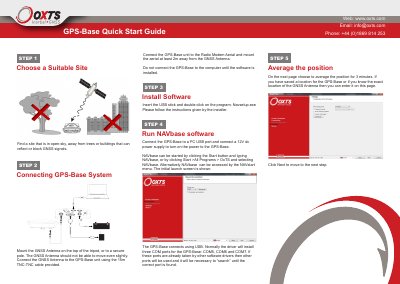
OxTS xNAV GPS-Base Quick Start Guide
Quick Start Guide 2 pages · 1.2 MB · EN
The document outlines the initial setup process for the OxTS xNAV GPS-Base unit. It covers selecting an appropriate open-sky location, mounting the GNSS antenna, and installing the necessary NAVbase software on a PC via USB connection. Users are instructed to configure the system to average positions before proceeding.
Latest OXTS manuals
OxTS xNAV GPS-Base Quick Start Guide
Quick Start Guide 2 pages · 1.2 MB · ENThis guide provides instructions for setting up the OxTS xNAV GPS-Base system, including site selection, software installation, and connecting to a radio modem.
Which document do I need?
Quick Start Guide
The shortest path to a working setup, usually only a few pages.
Questions answered in OXTS manuals
How do I connect the GPS-Base to a computer?
Connect the GPS-Base to a PC USB port and connect a 12V dc power supply to turn on the power.
What indicates that corrections are being transmitted?
The software will show 'RTCMV3 OK' after the average is complete.