
Key facts
- Manuals
- 7
- Languages
- EN · ZH
- Last added
- 2026-11-01
Featured Open Text manuals
Open Text SLA NALYZER 9.0.1.15 User Guide
The Open Text SLA NALYZER 9.0.1.15 is a software utility designed for the analysis of various log and report file types. The guide details the prerequisites and installation procedures, including manual installation and the use of the download manager. It also explains how to uninstall the software and manage auto-updates.
Covers: Supported Platforms · Installation · Download manager · Log File Types · Command Line Parameters · File Menu
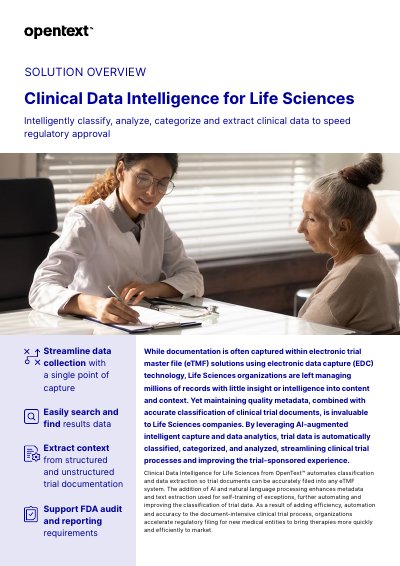
OpenText Clinical Data Intelligence for Life Sciences Solution Overview
OpenText Clinical Data Intelligence for Life Sciences is a solution designed to intelligently classify, analyze, categorize, and extract clinical data. It leverages AI and natural language processing to automate the classification and data extraction of clinical trial documents, streamlining data collection and supporting FDA audit and reporting requirements. The solution helps Life Sciences organizations manage millions of records by providing insight into content and context, ensuring accurate metadata and classification.
Covers: SOLUTION OVERVIEW · Streamline data collection · Search and find results data · Extract context from documentation · Support FDA audit and reporting · OpenText Professional Services
OpenText UFT One 23.4 Installation Guide
This guide provides step-by-step instructions for installing, upgrading, and managing UFT One 23.4, including licensing, ALM integration, and silent installations. It covers prerequisites, permissions, and troubleshooting for enterprise deployments. The guide also includes details on configuring UAC for ALM connectivity and managing license types such as seat and concurrent licenses.
Covers: Installation · Upgrade UFT One · Licensing · ALM Integration · Silent Installation · Troubleshooting
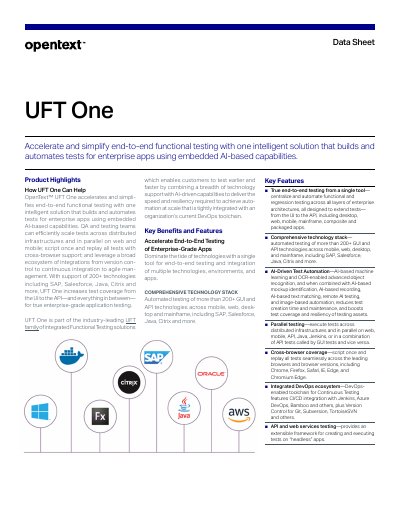
OpenText UFT One Data Sheet
OpenText UFT One is an intelligent solution designed to accelerate and simplify end-to-end functional testing for enterprise applications. It utilizes embedded AI-based capabilities to build and automate tests, supporting over 200 technologies including SAP, Salesforce, Java, and Citrix. The solution enables teams to scale tests across distributed infrastructures and supports parallel execution on web and mobile platforms.
Covers: Product Highlights · Key Benefits and Features · Comprehensive Technology Stack · AI-Driven Test Automation · Parallel testing · Cross-browser coverage
Latest Open Text manuals
Open Text SLA NALYZER 9.0.1.15 User Guide
User Manual 611 pages · 21.6 MB · ENThis user guide covers the installation, configuration, and usage of the Open Text SLA NALYZER 9.0.1.15 tool for analyzing log files and generating reports.
OpenText Clinical Data Intelligence for Life Sciences Solution Overview
Product Leaflet 3 pages · 276 KB · ENThis document provides an overview of OpenText Clinical Data Intelligence for Life Sciences, detailing how AI and NLP automate clinical data classification…
OpenText UFT One 23.4 Installation Guide
Installation Guide 97 pages · 776 KB · ENInstall, upgrade, and manage UFT One 23.4 with this official guide covering licensing, ALM integration, and troubleshooting.
OpenText UFT One Data Sheet
Datasheet 4 pages · 265 KB · ENData sheet for OpenText UFT One, an intelligent solution for end-to-end functional testing of enterprise applications using embedded AI-based capabilities.
OpenText Prime Protect Software Maintenance Program Handbook
User Manual 10 pages · 558 KB · ZHThis handbook outlines the policies and procedures for the OpenText Prime Protect Software Maintenance Program, covering support services, request…
OpenText RightFax 16 EP2 Sending a Fax Quick Reference User Guide
User Manual 14 pages · 205 KB · ENQuick reference guide for sending faxes using OpenText RightFax 16 EP2 via various methods including Web Client, FaxUtil, Quick Fax, and Windows Explorer.
OpenText Exceed User's Guide
User Manual 310 pages · 1.8 MB · ENUser guide for OpenText Exceed, covering connection methods, X clients, configuration, and advanced features.
Which document do I need?
User Manual
Day-to-day operation, settings and troubleshooting. Start here if the product is already set up.
Installation Guide
Mounting, wiring and first power-up. Read it before the hardware goes in.
Datasheet
Ratings, dimensions and ordering codes, for selection and design work.
Questions answered in Open Text manuals
What is the version of the SLA NALYZER user guide?
The version is 9.0.1.15.
What is the stated purpose of the Clinical Data Intelligence for Life Sciences solution?
The solution is designed to intelligently classify, analyze, categorize, and extract clinical data to speed regulatory approval.
From: OpenText Clinical Data Intelligence for Life Sciences Solution Overview
How does the solution handle clinical trial content from different sources?
It classifies and routes content from mobile images to paper-based case report forms without requiring additional steps.
From: OpenText Clinical Data Intelligence for Life Sciences Solution Overview
Can I use my old license (from before UFT One 12.50) with the new License Server?
No, old licenses are not compatible with the new License Server.
How do I install licenses if I am deploying UFT One across an enterprise network?
Install the AutoPass License Server and configure it for network access.
What is the main purpose of UFT One?
UFT One accelerates and simplifies end-to-end functional testing with one intelligent solution that builds and automates tests for enterprise apps using embedded AI-based capabilities.