
Key facts
- Manuals
- 2
- Languages
- EN · ES
- Last added
- 2023-10-17
Featured Nyne manuals

Nyne Performer PA Speaker User Guide
The Nyne Performer is a portable PA speaker that supports multiple audio sources including Bluetooth, FM radio, USB playback, and auxiliary input. It features a rechargeable battery indicated by four charging lights and includes controls for volume adjustment and track navigation.
The manual details operation modes such as guitar practice with an integrated amplifier function and karaoke-style singing using a microphone alongside music from other sources. Users can also charge mobile devices via the built-in 5V USB port.
Covers: Charging · Bluetooth Connection · FM Radio Tuning · USB Playback · AUX Input · Guitar Mode
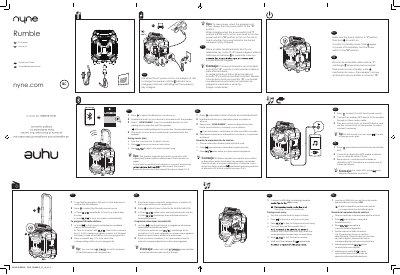
NYNE RUMBLE PA Speaker Quick User Guide
This document is the Quick User Guide for the NYNE RUMBLE PA speaker. It provides instructions in English and Spanish for powering the device on and off, switching to standby mode, and managing battery power. The guide explains how to use the power switch and indicates the correct position for saving battery life when the speaker is not in use. This manual is written in Spanish.
Covers: Power On/Off · Bluetooth Pairing · Music Playback · FM Radio · USB Playback · AUX Input
Latest Nyne manuals
Nyne Performer PA Speaker User Guide
User Manual 2 pages · 2.6 MB · ENThis user guide explains how to charge, pair via Bluetooth, and use the Nyne Performer PA speaker with FM radio, USB, AUX, guitar, and microphone inputs.
NYNE RUMBLE PA Speaker Quick User Guide
User Manual 2 pages · 4.1 MB · ESThis quick user guide provides instructions for operating the NYNE RUMBLE PA speaker, including power control, Bluetooth pairing, and input selection.
Which document do I need?
User Manual
Day-to-day operation, settings and troubleshooting. Start here if the product is already set up.
Questions answered in Nyne manuals
How do I know when the battery is fully charged?
All four charging indicators light up to indicate that the battery is fully charged.
What password should I use for Bluetooth pairing?
You may need to enter a password such as '0000' or '1234' to start pairing.
How do I turn the speaker on?
Make sure the power switch is in the 'I' position, then hold it to switch on.
How do I save battery when not using the speaker?
Always turn the power switch to the 'O' position when the speaker is not in use.