
Key facts
- Manuals
- 1
- Languages
- EN
- Last added
- 2023-11-02
Featured newell manuals
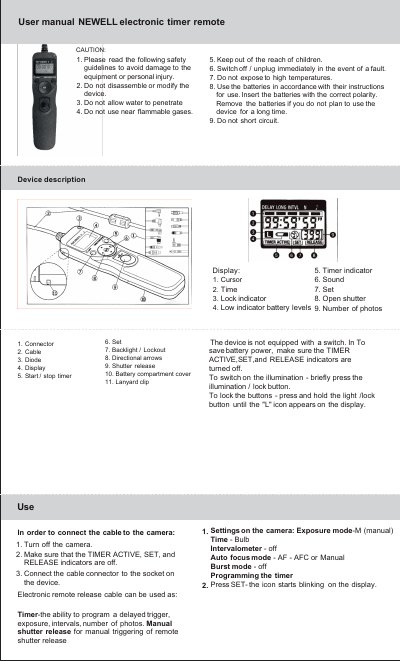
NEWELL Electronic Timer Remote User Manual
This is the user manual for the NEWELL electronic timer remote. It describes the device, including its display, cable, start/stop timer, set, backlight/lockout, directional arrows, shutter release, battery compartment cover, and lanyard clip.
The manual covers safety guidelines, connecting the cable to the camera, camera settings, programming the timer for delay, exposure time, interval, and number of photos, and starting or stopping the program. It also includes manual mode use and product specifications.
Covers: Safety guidelines · Device description · Settings on the camera · Programming the timer · Starting the program · Specification
Latest newell manuals
NEWELL Electronic Timer Remote User Manual
User Manual 2 pages · 2 MB · ENUser manual for the NEWELL electronic timer remote, covering safety, camera connection, timer programming, and specifications.
Which document do I need?
User Manual
Day-to-day operation, settings and troubleshooting. Start here if the product is already set up.
Questions answered in newell manuals
How do I lock the buttons on the NEWELL electronic timer remote?
Press and hold the light/lock button until the "L" icon appears on the display.
How long should the interval be compared with the exposure time?
The interval should be at least 1 second longer than the exposure time.