
Key facts
- Manuals
- 1
- Languages
- EN
- Last added
- 2023-10-27
Featured N-Vision Optics manuals
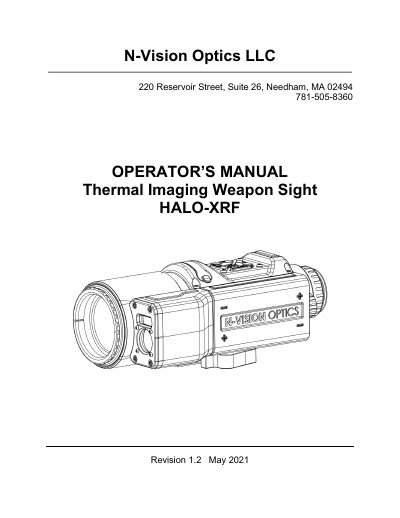
N-Vision Optics HALO-XRF Thermal Imaging Weapon Sight User Manual
This manual provides detailed instructions for operating, maintaining, and troubleshooting the N-Vision Optics HALO-XRF thermal imaging weapon sight. It covers installation, battery use, focusing, mounting, operating modes, menu navigation, and cleaning procedures. Safety warnings are emphasized, including restrictions on exposure to sunlight and use of approved batteries. The device features a fixed-focus athermalized lens, digital zoom, WiFi streaming, and an integrated laser rangefinder.
The HALO-XRF is designed for rugged use with an IP67 rating and nitrogen-purged housing. It includes eight user-selectable reticles, black/white hot polarity, and internal video recording. Maintenance guidance includes cleaning optics with supplied paper and avoiding contact with lens surfaces.
Covers: General Information · Safety Summary · Unit Overview · Features · HALO-XRF Components and Controls · Standard Kit
Latest N-Vision Optics manuals
N-Vision Optics HALO-XRF Thermal Imaging Weapon Sight User Manual
User Manual 34 pages · 1.6 MB · ENUser manual for N-Vision Optics HALO-XRF thermal imaging weapon sight, covering operation, maintenance, and safety.
Which document do I need?
User Manual
Day-to-day operation, settings and troubleshooting. Start here if the product is already set up.
Questions answered in N-Vision Optics manuals
What batteries are approved for use with the HALO-XRF?
Only rechargeable 18650 batteries approved by N-Vision Optics are allowed. Never use two CR123 batteries.
From: N-Vision Optics HALO-XRF Thermal Imaging Weapon Sight User Manual
How should I clean the lens of the HALO-XRF?
Use the supplied lens cleaning paper, lightly moistened with water or lens cleaning fluid, and wipe in a circular motion. Discard each paper after one use.
From: N-Vision Optics HALO-XRF Thermal Imaging Weapon Sight User Manual