
Key facts
- Manuals
- 2
- Languages
- EN
- Last added
- 2023-10-19
Featured MOOG ANIMATICS manuals
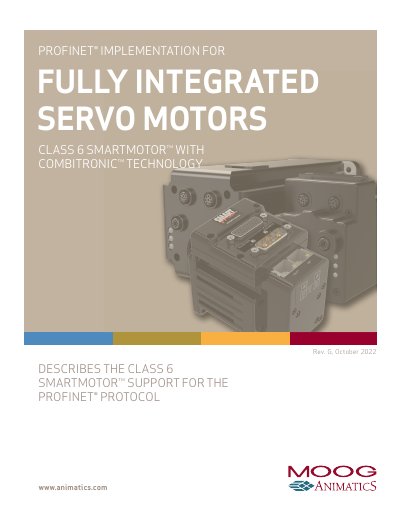
Moog Animatics Class 6 SmartMotor™ PROFINET Guide
This guide explains how to integrate the Moog Animatics Class 6 SmartMotor™ with the PROFINET protocol for industrial automation. It covers hardware and software requirements, safety information, motor sizing, environmental considerations, and configuration steps for PLC communication. The guide includes command and response codes, packet formats, and troubleshooting tips for PROFINET operation.
The document assumes users understand PROFINET and provides implementation details specific to Moog Animatics SmartMotors, including commands for torque mode, relative position moves, and fault handling. It also references external resources like the PROFINET/PROFIBUS website and Moog Animatics’ download center for GSDML files and software tools.
Covers: Introduction · Purpose · PROFINET Overview · Equipment Required · Hardware · Software
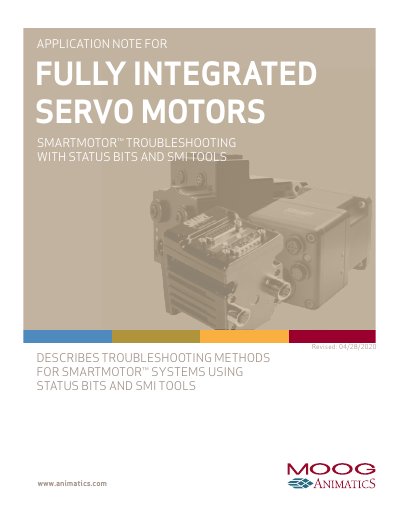
Moog Animatics SMARTMOTOR Troubleshooting with Status Bits and SMI Tools Application Note
This document provides troubleshooting strategies for Moog Animatics SMARTMOTOR integrated servo motors, focusing on the use of onboard diagnostics and the SmartMotor Interface (SMI) software. It is designed to help machine designers isolate and resolve issues associated with motion control and machine operation by utilizing advanced data features. The guide applies specifically to Class 5 and later SmartMotor products.
Covers: Introduction · Troubleshooting - First Steps · StatusWords · StatusWord0: Primary Fault/Status Indicator · StatusWord1: Index Registration and Software Travel Limits · StatusWord3: PID State, Brake, Move Generation Indicators
Latest MOOG ANIMATICS manuals
Moog Animatics Class 6 SmartMotor™ PROFINET Guide
User Manual 74 pages · 2.9 MB · ENUser manual for integrating Moog Animatics Class 6 SmartMotor™ with PROFINET protocol in industrial automation.
Moog Animatics SMARTMOTOR Troubleshooting with Status Bits and SMI Tools Application Note
Application Note 24 pages · 556 KB · ENThis application note describes troubleshooting methods for Moog Animatics SMARTMOTOR systems using status bits and the SMI software tool.
Which document do I need?
User Manual
Day-to-day operation, settings and troubleshooting. Start here if the product is already set up.
Application Note
How to use the product for one specific task, with worked examples.
Questions answered in MOOG ANIMATICS manuals
What is the firmware version supported by this manual?
The featureset described in this version of the manual refers to motor firmware 6.0.2.41 (Class6M)/6.4.2.50 (Class6D) or later.
What communication interfaces does the SmartMotor support?
The SmartMotor may communicate over RS-232, RS-485, and/or USB, in addition to PROFINET.
What is the recommended fault indicator bit for host devices?
Moog Animatics recommends using StatusWord0, Bit0 (DriveReady) as the fault indicator for use by any host device.
From: Moog Animatics SMARTMOTOR Troubleshooting with Status Bits and SMI Tools Application Note
What does the DriveReady bit indicate?
The DriveReady bit is the most useful indicator available as it encompasses the fault state of the motor; if any faults have occurred, this bit will be low or off.
From: Moog Animatics SMARTMOTOR Troubleshooting with Status Bits and SMI Tools Application Note