
Key facts
- Manuals
- 2
- Languages
- EN
- Last added
- 2023-10-20
Featured MadgeTech manuals
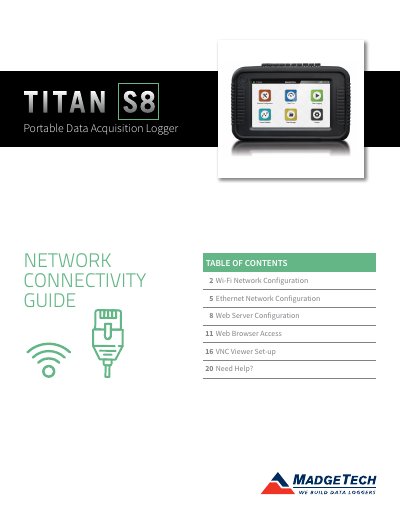
MadgeTech Titan S8 Portable Data Acquisition Logger Network Connectivity Guide
This guide explains how to configure the Titan S8 for Wi-Fi and Ethernet connections using approved USB adapters. It covers setting up the web server and VNC viewer for remote access, including password setup and security considerations. The document also includes troubleshooting tips and contact information for support.
Covers: Wi-Fi Network Configuration · Ethernet Network Configuration · Web Server Configuration · Web Browser Access · VNC Viewer Set-up · Need Help?
MadgeTech 4 Secure Software Manual
The MadgeTech 4 Secure Software is a tool designed for managing devices, downloading data, and generating reports. The software requires the .Net 4.0 Framework and USB interface drivers to be installed before use. Users can start devices in various modes, including real-time, bath, and automatic stop configurations.
The software features comprehensive workflow management, allowing users to add, change, and run automated tasks. It includes robust alarm rule settings and device property customization, such as changing thermocouple types and setting passwords. Data can be downloaded from connected devices and organized into folders and reports, which can be exported to Microsoft Excel or printed.
Covers: Software Overview · System Requirements · Software Installation · Getting Started · Software Menus and Navigation · Working With Devices
Latest MadgeTech manuals
MadgeTech Titan S8 Portable Data Acquisition Logger Network Connectivity Guide
User Manual 20 pages · 3.7 MB · ENStep-by-step guide for configuring Wi-Fi and Ethernet networks, web server, and VNC access on the Titan S8 portable data logger.
MadgeTech 4 Secure Software Manual
User Manual 84 pages · 1.9 MB · ENThis manual provides instructions for installing, configuring, and using the MadgeTech 4 Secure Software for device management and data reporting.
Which document do I need?
User Manual
Day-to-day operation, settings and troubleshooting. Start here if the product is already set up.
Questions answered in MadgeTech manuals
What is the minimum length required for the VNC Server password?
The VNC Server password must be over five characters long.
From: MadgeTech Titan S8 Portable Data Acquisition Logger Network Connectivity Guide
What happens to the Wi-Fi connection if Ethernet is selected?
Selecting Ethernet as the connection will disconnect the Wi-Fi connection if it was previously selected.
From: MadgeTech Titan S8 Portable Data Acquisition Logger Network Connectivity Guide
What operating system version is required to run this software?
The software requires the .Net 4.0 Framework to be installed on the system.
How can a user shut down the software using the keyboard?
Users can shut down the software by using a specific keyboard shortcut.