
Key facts
- Manuals
- 3
- Models
- 1
- Languages
- EN · ZH
- Last added
- 2026-10-19
LZ models by category
Featured LZ manuals

LZ LZ-990 ESCAL Dual-Type Coating Thickness Tester Product Leaflet
The LZ LZ-990 "ESCAL" Dual-Type Coating Thickness Tester is a compact instrument designed to provide high accuracy with simple operation. It integrates both electromagnetic and eddy current methods into one device, allowing it to automatically recognize substrate materials (ferrous or non-ferrous) and select the appropriate measurement mode.
Covers: Special Features · Application Memory Function · Data Output · Other Functions · Specifications
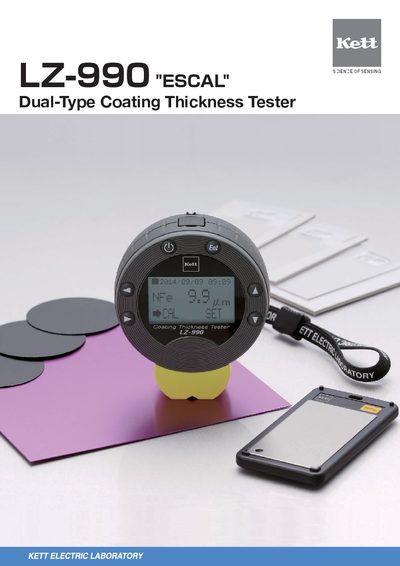
LZ LZ-990 ESCAL Dual-Type Coating Thickness Tester Product Brochure
The LZ-990 "ESCAL" is a multifunctional, high-accuracy coating thickness tester designed in a compact body. It integrates both electromagnetic and eddy current measurement methods into one instrument, automatically recognizing the substrate material (Ferrous or Non-ferrous) to select the appropriate mode.
Covers: Special Features · Application Memory Function · Data output · Other Functions · Specifications
LZ LZ-Q1x Series Intelligent Cutting Machine User Manual
The LZ-Q1x series intelligent cutting machine is designed for precise length cutting of various materials, featuring an industrial-grade touch screen, precise stepper motors, and a proprietary intelligent controller. It supports both manual and automatic cutting modes with adjustable parameters for production quantity, cutting length, and feed speed. This manual is written in Chinese.
Covers: Product Introduction · Main Features · Parameter List · Function Introduction · System Settings · Cutting Settings
Latest LZ manuals
LZ LZ-990 ESCAL Dual-Type Coating Thickness Tester Product Leaflet
Product Leaflet 1 pages · 575 KB · ENThe LZ LZ-990 ESCAL is a compact, multifunctional coating thickness tester that automatically recognizes ferrous and non-ferrous substrates for accurate…
LZ LZ-990 ESCAL Dual-Type Coating Thickness Tester Product Brochure
Product Leaflet 2 pages · 575 KB · ENThe LZ-990 ESCAL is a compact dual-type coating thickness tester combining electromagnetic and eddy current methods with automatic substrate recognition.
LZ LZ-Q1x Series Intelligent Cutting Machine User Manual
User Manual 12 pages · 801 KB · ZHThis manual covers the operation, settings, and maintenance of the LZ-Q1x series intelligent cutting machine for tube cutting applications.
Which document do I need?
User Manual
Day-to-day operation, settings and troubleshooting. Start here if the product is already set up.
Questions answered in LZ manuals
How does the LZ-990 ESCAL recognize substrate materials?
The device automatically recognizes the substrate materials as Ferrous or Non-ferrous and selects the appropriate measurement mode.
From: LZ LZ-990 ESCAL Dual-Type Coating Thickness Tester Product Leaflet
How many calibration curves can be stored in memory?
Up to 16 pre-calibrated applications can be stored, with 8 electromagnetic and 8 eddy-current types.
From: LZ LZ-990 ESCAL Dual-Type Coating Thickness Tester Product Leaflet
What types of substrate materials does the LZ-990 ESCAL automatically recognize?
The instrument automatically recognizes ferrous and non-ferrous substrate materials.
From: LZ LZ-990 ESCAL Dual-Type Coating Thickness Tester Product Brochure
What is the maximum measurable range of the LZ-990 ESCAL?
The device can measure a range of 0 to 2000 µm or 0 to 80.0 mils.
From: LZ LZ-990 ESCAL Dual-Type Coating Thickness Tester Product Brochure
What is the warranty period for the LZ-Q1x series cutting machine?
The machine is warranted for one year from the date of purchase, with lifetime technical support provided.
From: LZ LZ-Q1x Series Intelligent Cutting Machine User Manual
What is the default password for clearing data?
The default password for clearing current production and length data is 1234.
From: LZ LZ-Q1x Series Intelligent Cutting Machine User Manual