
Key facts
- Manuals
- 1
- Languages
- EN
- Last added
- 2026-11-16
Featured Learning Resources manuals
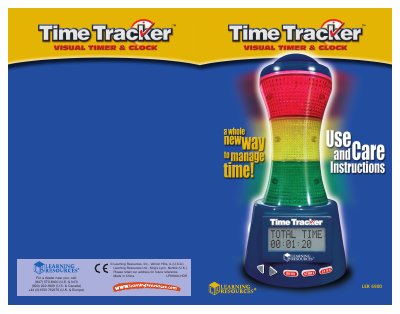
Learning Resources LPK6900-HDR Time Tracker Visual Timer User Manual
This manual guides users through installing batteries, setting the clock, configuring manual or auto timers, and using an adapter. It includes safety warnings, battery replacement procedures, and troubleshooting steps. The device features three color-coded sections for time management with optional sound effects. It is designed for educational or timed activity use and is not intended for children under 3 years old.
Covers: INSERT BATTERIES · GETTING STARTED · SET CLOCK · SET MANUAL TIMER · SET AUTO TIMER · STARTING THE TIMER
Latest Learning Resources manuals
Learning Resources LPK6900-HDR Time Tracker Visual Timer User Manual
User Manual 6 pages · 1.9 MB · ENUser manual for Learning Resources LPK6900-HDR visual timer with battery installation, clock setup, timer programming, and care instructions.
Which document do I need?
User Manual
Day-to-day operation, settings and troubleshooting. Start here if the product is already set up.
Questions answered in Learning Resources manuals
How do I replace the batteries?
Change the batteries when the sound becomes garbled or slows down, or when pressing a button does not trigger a response from the unit.
From: Learning Resources LPK6900-HDR Time Tracker Visual Timer User Manual
What are the back-up batteries?
Two LR44 batteries that maintain your clock and time settings if the regular batteries lose power.
From: Learning Resources LPK6900-HDR Time Tracker Visual Timer User Manual